








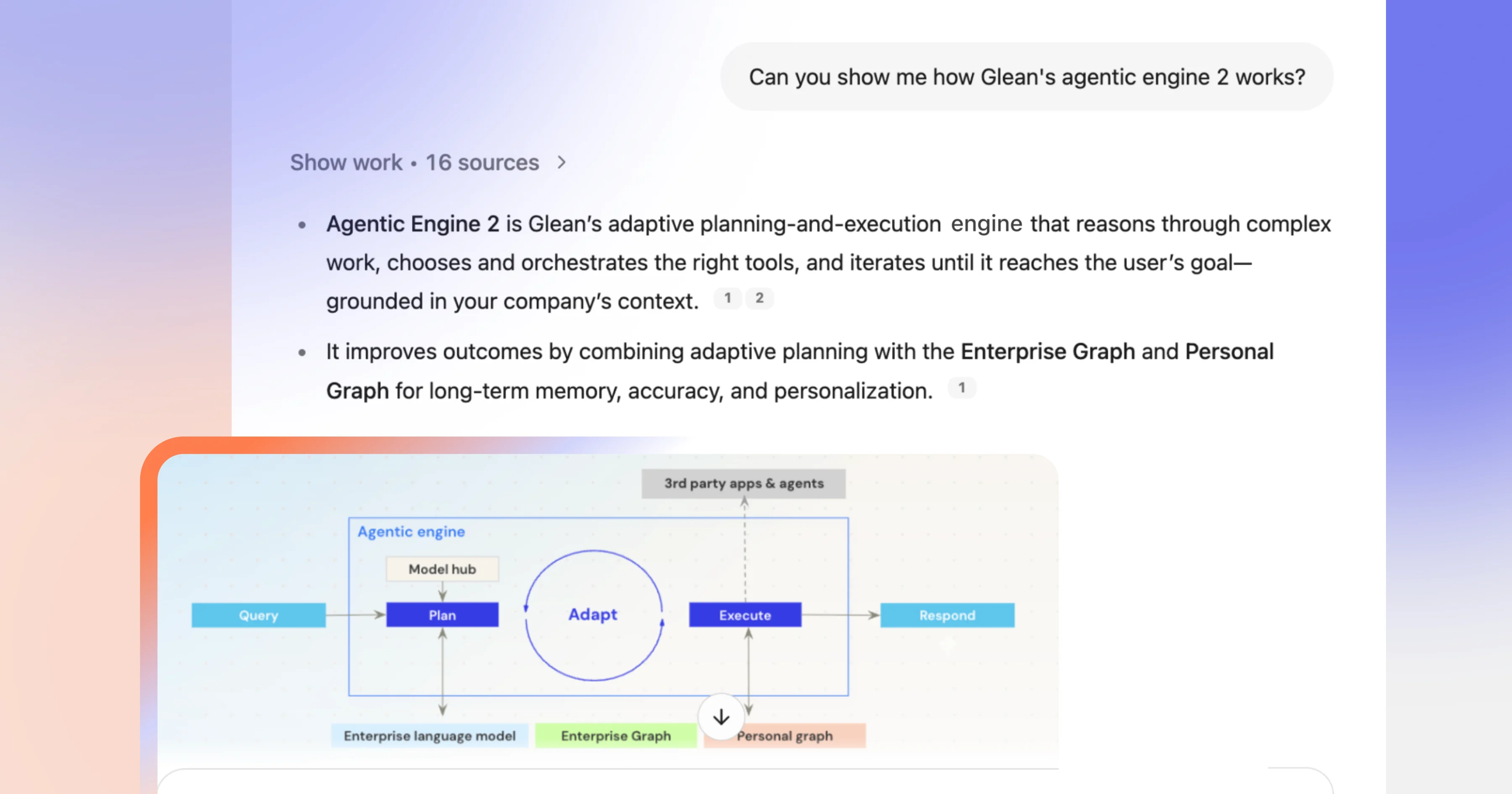
Explaining complex topics can be challenging—showing how things work visu ally is often more effective. That’s because complex topics become instantly clearer when you can see them. Whether it's a data visualization showing seasonal patterns, a flowchart explaining your approval process, or a wireframe from the design team, visual content accelerates comprehension in a way that text alone can't match.
Glean Assistant has always been great at surfacing text—pulling insights from documents, meeting transcripts, Slack conversations, and more. And now, we’re excited to share that Assistant understands the images in your company's connected data sources and proactively surfaces them in responses when relevant.
What this looks like in practice
When you ask about revenue trends, system architecture, product mockups, or org charts, Assistant automatically scans your connected sources—including Google Drive and O365—to find the most relevant images in your documents and presentations, and displays them directly in your conversation.
Ask about Q3 sales performance, and you'll get the actual revenue chart from the board deck. Wonder how the authentication flow works? The system architecture diagram appears right in your chat.
For executives: Skip straight to the key charts in that 50-page quarterly review that answer your immediate concerns. See the metrics that matter without wading through commentary.
For engineers: Benefit from system diagrams and architecture sketches when you need to understand dependencies or debug an integration issue.
For onboarding employees: Understand complex concepts faster when you can see the visual explanations alongside the text.
Combining image understanding with context
Surfacing images in a contextually relevant way transforms visual content from being buried in static files into intelligent answers to your questions, delivering the most helpful chart, diagram, or screenshot you need without forcing you to remember which document it was from.
When you ask about how the team did last quarter, Assistant knows performance charts would likely be relevant and will search to see if any currently exist. When you ask it to show you the current architecture, it understands you want technical diagrams, not just documents with the word "architecture" in them.
Assistant is working with all the visual information already living in your presentation decks, reports, documentation, and meeting notes. All those screenshots, flowcharts, org charts, and data visualizations that were trapped inside documents can now be intelligently surfaced to help you understand and explain concepts in a fraction of the time.
Glean pairs its multimodal image understanding capabilities along with inline image rendering to improve answer quality and clarity. When a query retrieves a document with relevant visuals (charts, diagrams, screenshots), Glean ingests the underlying image, applies OCR and captioning to build structured metadata, and passes both text and image context to the model. Assistant then cites and renders the image directly in the response with proper permissions, so users can see the visual and the explanation together. These capabilities also support model interoperability and support all major model gardens.
Visual discovery for everyday work
When Assistant can show you a chart or surface a diagram instead of explaining it, you aren’t just saving time. You're getting a better answer that enables you to understand the topic faster. You're staying in flow instead of context-switching and digging through text-based responses to hunt down visual files—and that can make all the difference.
Learn more about contextual images here, and check out more details on other exciting Glean features coming your way!
