Content Creation
From blank page to polished draft in minutes.
Brainstorm, draft, and refine content, all in one collaborative space.

Create with confidence.

From idea to draft in minutes
Open canvas to brainstorm and generate a first draft for whatever you’re creating without switching tools.

AI outputs you can stand behind
Make instant edits for tone, clarity, and structure, with cited context from trusted company knowledge built in, so your work is polished and accurate.

A content partner for every team
Whether you’re a seasoned creator or not, Glean helps you create professional, on-brand work grounded in your company’s knowledge.
Turn prompts into drafts in a single workspace.
Launch a dedicated workspace — to draft, revise, and finalize your work with all of your enterprise context.

Turn messy inputs into clear slides.
The story is the hardest part of slide decks. Glean helps you turn scattered inputs into a cohesive narrative and reorganize content until the flow feels right.

Generate and edit interactive artifacts.
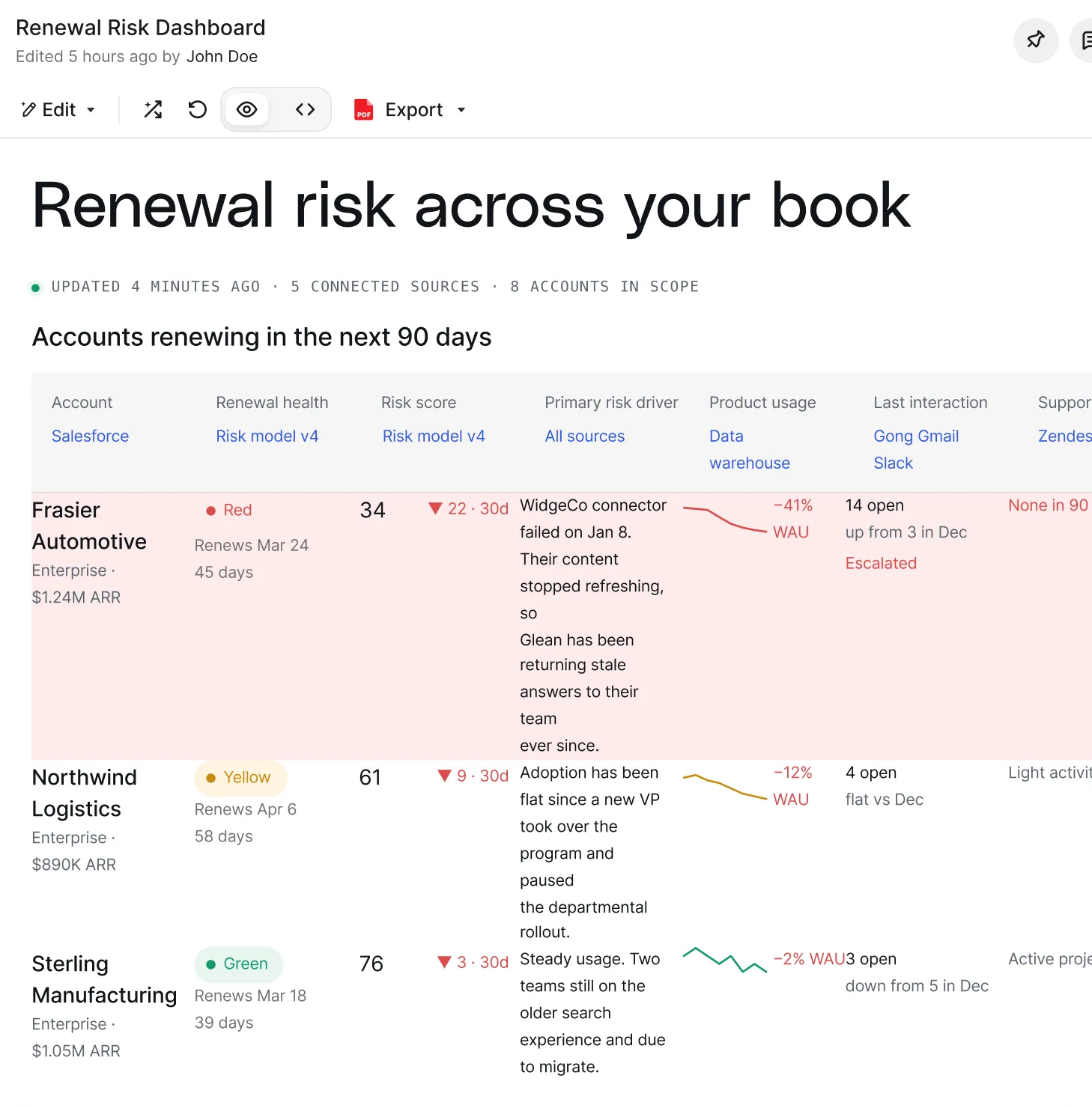
Create dashboards, forms, reports, and more. Refine them with trusted company knowledge, then keep them current by refreshing on demand or on a schedule (beta).

Review and export drafts with one click.
Explore version history to find your best draft, then export it to Google Docs, Slides, Microsoft Word, or PowerPoint, or share it with your team via email and Slack.

Keep everything you create within reach.
The library brings all your artifacts together in one place, making it easy to find past work, pick up where you left off, and discover what teammates shared.



How Glean helps you create content
01
Ideate
Start from a prompt in Assistant or a library template. Canvas opens letting you build in one place.
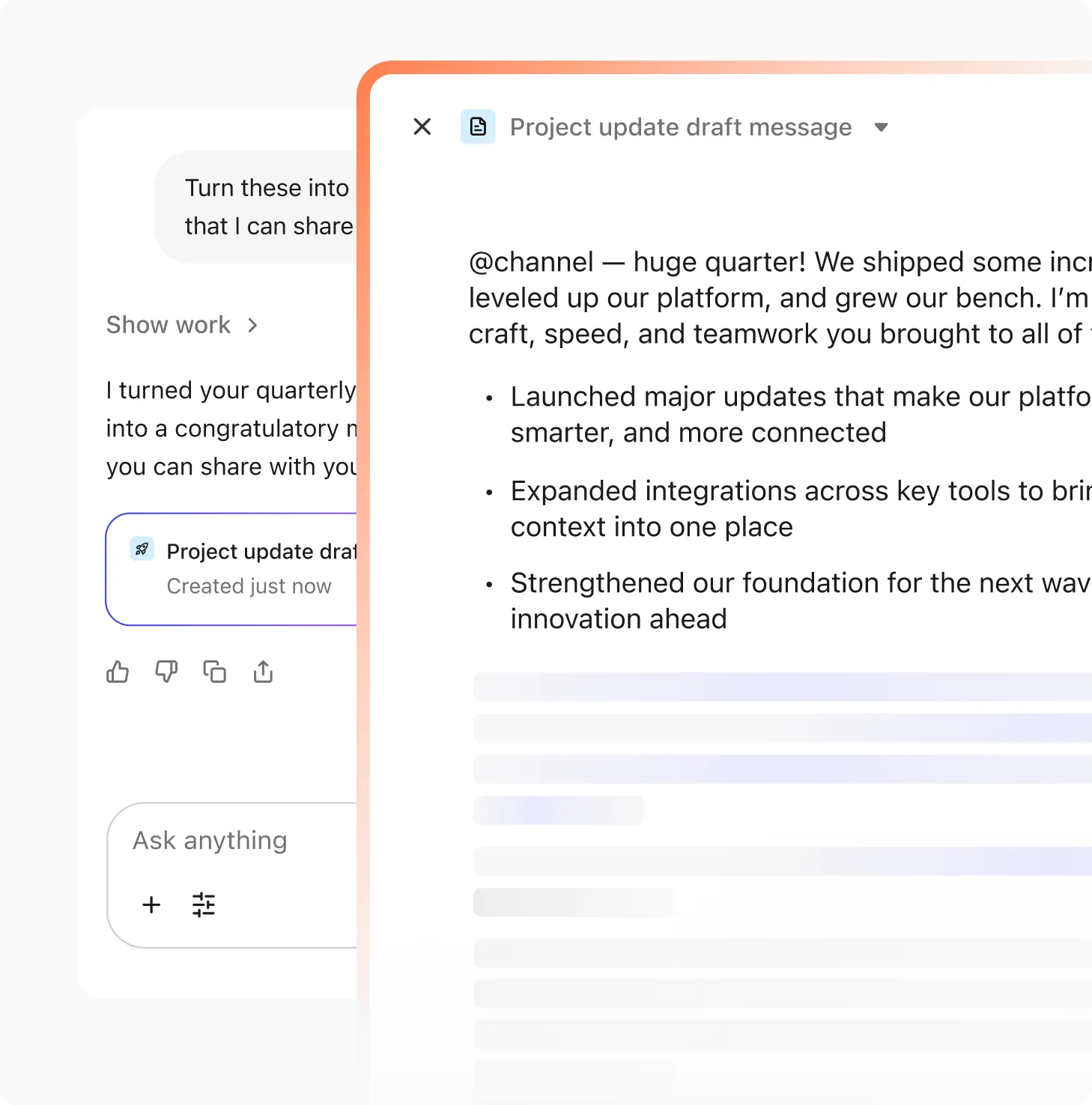
02
Create
Generate a document, deck, dashboard, or spreadsheet grounded in company knowledge.
03
Edit
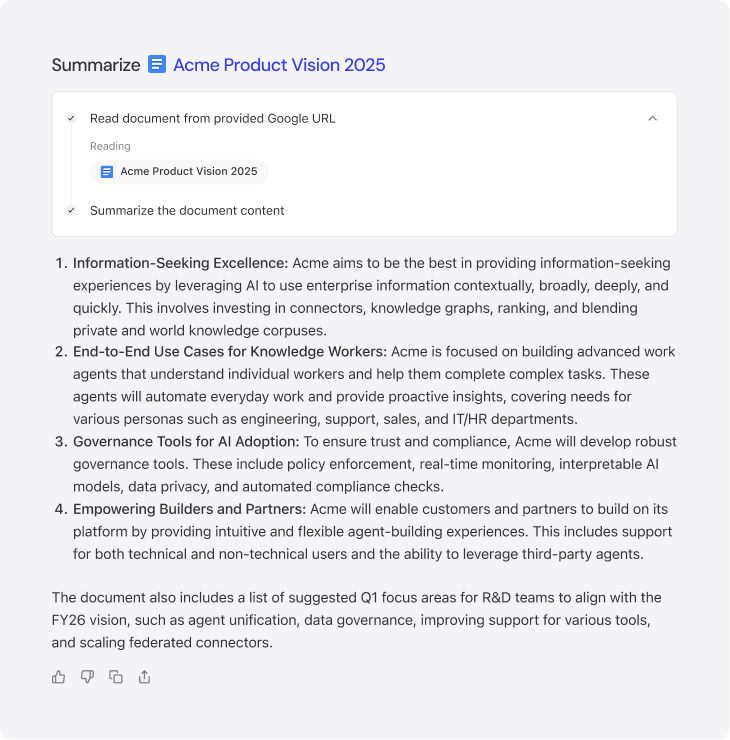
Highlight any section to refine tone, style, or clarity, and Assistant makes rewrites directly in Canvas.
04
Iterate
Compare versions and restore earlier edits. Every change is traceable and easy to adjust.

05
Share
Share what you created with your team and export it to Google Docs, Word, PowerPoint, email, or Slack with one click.