








Better understanding how your AI tools and agents are being deployed and used across the organization is key to continuously improving their usage. That’s why we’ve developed insights chat and admin chat, two new Glean features that help you understand how Glean is being adopted across your company and receive real‑time help managing your deployment, simply by asking questions in natural language.
Insights chat helps you understand how AI is being used
Glean Insights helps you see how AI is delivering value across your organization. It’s an easy-to-use dashboard that tracks adoption metrics across core product areas so you can quickly spot your power users and teams, as well as people and groups who may need more support during onboarding.
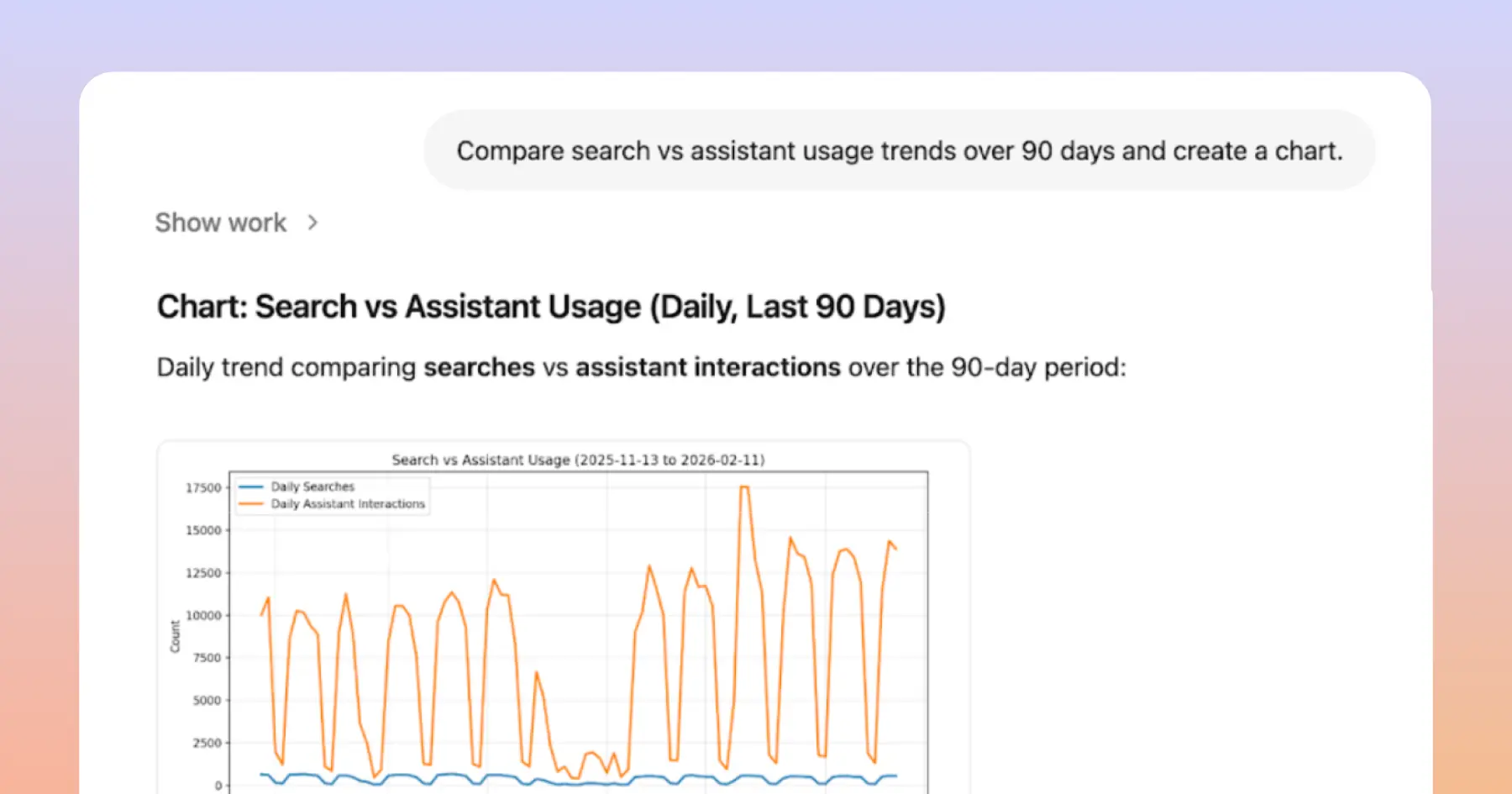
While Insights gives you a bird’s‑eye view of usage, we’ve created an insights chat feature that enables you to dig deeper into the data or run custom analyses. For example, a user might ask: “Show me monthly active users for the past six months and calculate the month‑over‑month growth rate,” then follow up with “Which departments are driving that growth?” or “Where is adoption flat or declining?” Insights chat helps you understand the “why” behind the numbers.
You can use insights chat to explore usage trends, find power users by department, understand connector usage, analyze user feedback metrics, and highlight top agents. If you’re not familiar with Glean metrics, you can simply ask “What is a power user?” and insights chat will return a clear definition.
Behind the scenes, insights chat translates your natural‑language questions into the right data requests, executes them using Python and SQL tools, and returns answers as tables, charts, and downloadable reports. And because insights chat is available directly in the UI, you can automate recurring adoption reports too.
Admin chat helps you manage Glean
While insights chat helps you understand how Glean is used, admin chat helps you run Glean more easily.
Admin Chat is your first stop for help in the admin console. It answers questions using Glean’s public documentation and Gleaniverse content, so you can tap into both official guidance and community knowledge without leaving where you’re working.
You can use admin chat to configure new data sources (“How do I set up the Slack connector and what permissions are required?”), onboard new users (“What is an Insights role?”), and try out the latest features (“How do I enable image generation?”). When you ask a question, it returns clear, step‑by‑step instructions and stays open while you navigate, so you can keep following along as you make changes.
With admin chat, we want AI to help you get set up quickly and handle basic troubleshooting yourself. It’s designed to guide you and make it easier to stay informed and confident as you administer AI at work.
Using AI to administer AI itself
Together, insights chat and admin chat point to the future we see for AI at work: a world where AI doesn’t just help your teams do their jobs—it also helps you understand, manage, and continuously improve your use of AI itself.
Learn more about how Glean can help your organization do its best work with AI by signing up for a demo, and check out our February drop page for our latest feature releases.
