










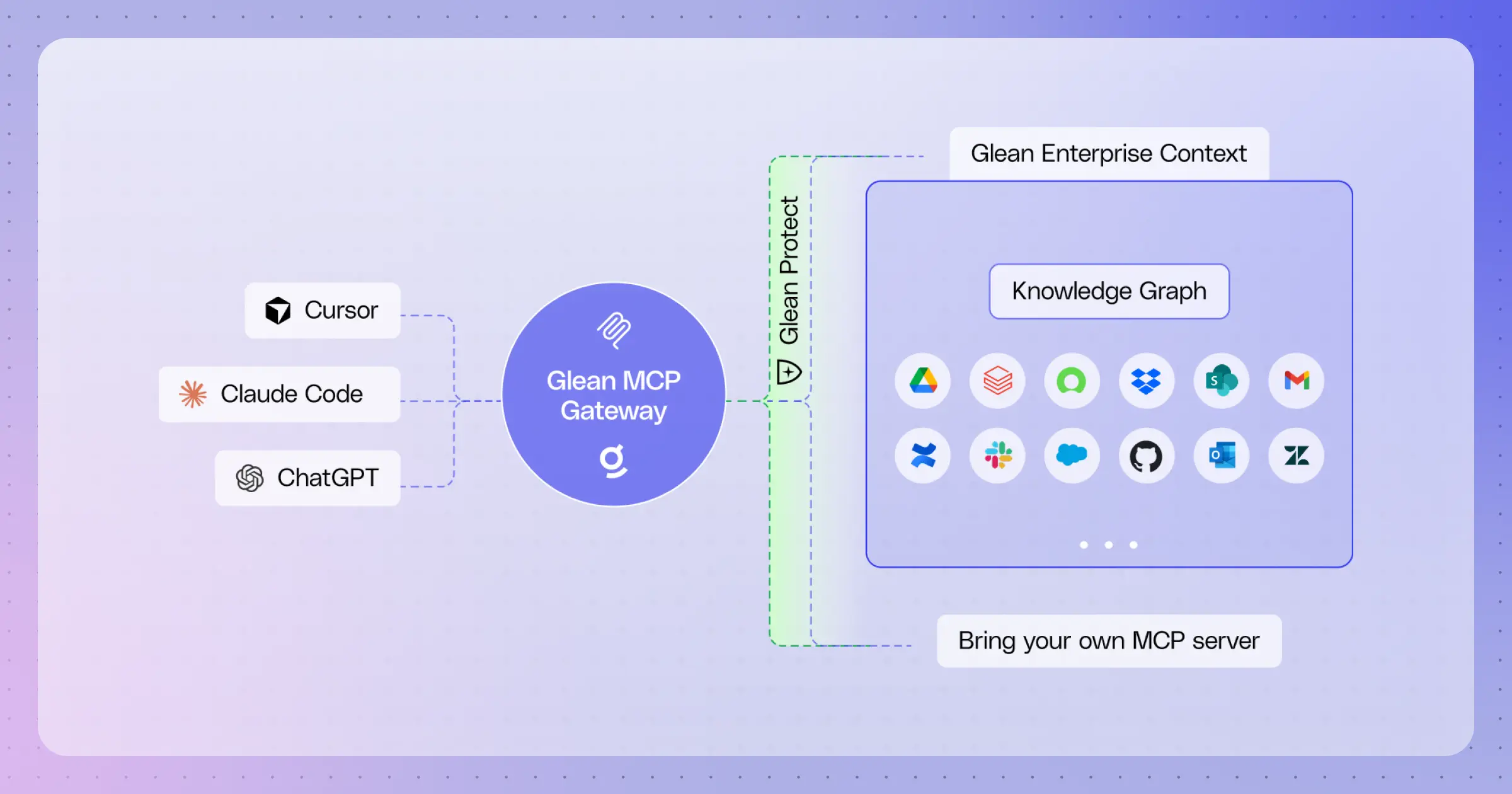
Introducing Glean MCP Gateway: The context AI needs to deliver secure, actionable results
This past year, we saw Model Context Protocol (MCP) gain adoption as the open protocol to connect tools to AI, enabling users to read data and take action. While MCP has opened the door to connectivity, making it actually work in the enterprise remains a challenge for most teams. MCP alone can’t deliver efficient context, safely scale tools, and observe how those tools are being used.
Today, Glean is helping enterprises close the implementation gap by introducing the MCP Gateway, which delivers:
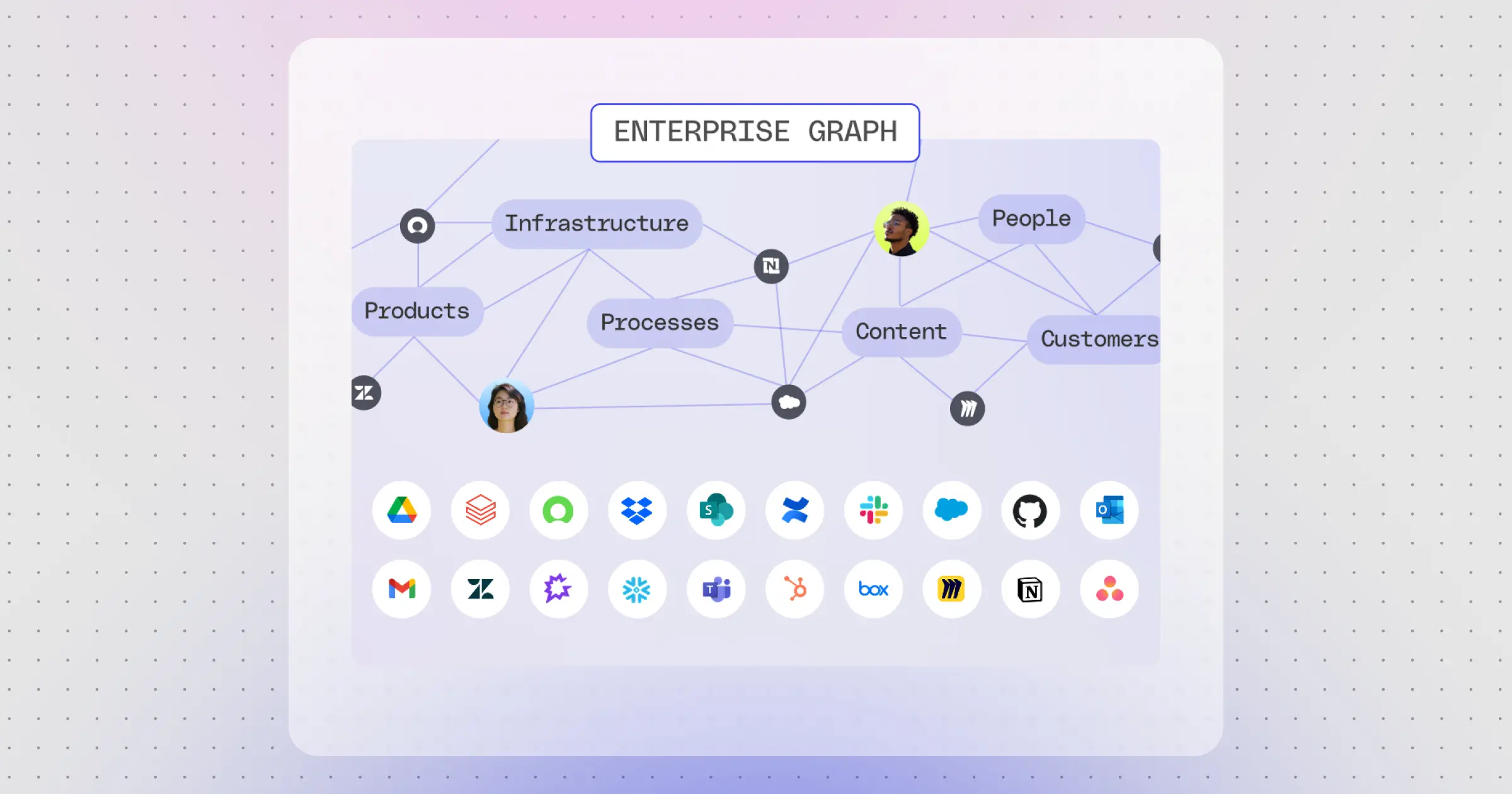
- Context for AI at work: Not all tool quality is the same. Glean delivers indexes and knowledge graphs so enterprises get consistent, reliable context they can use everywhere.
- Secure access to data and tools: Securely connect to permissions-enforced data and tools, with granular access controls and protections against prompt injection and malicious code that help protect your enterprise across all surfaces.
- Centralized rollout, admin, and visibility: Administered centrally with remote MCP servers, the ability to roll out to all employees via MDM, and dashboards to stay informed on usage.
Better tools start with better context
MCP is a protocol, not a context layer. When you query through MCP, you are dependent on the quality of whatever tools the community provides. Most off-the-shelf MCP tools query Jira, Confluence, GitHub, and Slack APIs separately, each with different search approaches, inconsistent indexing, and no centralized ranking.
A federated MCP approach can route a model to the right API, but joining results across sources still happens by the model at runtime, requiring the model itself to disambiguate, reconcile, and map relationships across systems. That burns more tokens as the right context foundations are not in place.
Glean's MCP server instead uses a precomputed index and knowledge graph to do that work in advance. Think of it as a precomputed join across all your enterprise data, versus resolving that join at runtime.
This approach makes a considerable difference in token efficiency and response quality. Earlier this month we benchmarked Glean against off-the-shelf MCP tools in Claude Cowork across ~175 enterprise queries, holding the harness and model constant and swapping only the context layer. Glean's enterprise context was preferred ~2.5x as often, and the off-the-shelf tools used 30% more tokens on average.
We also looked at how the same architectural difference plays out for engineering workloads inside an AI-IDE. Here’s an example, slightly altered to remove sensitive data:

Owner: the agent-builder team owns the code path, and the library-revamp feature flag has a single named feature owner you can ping directly.
What's actually going on: the old two-tab layout (All / Active) only renders when the revamp flag is off. So if a customer still sees two tabs, the revamp flag is evaluating to false for that tenant.
What to check first, in order:
- Flag state for the tenant. The revamp flag went GA earlier this year, so most tenants should be on by default. Confirm the customer is on a recent enough release, and check whether a tenant-specific override is pinning the flag to false for their cohort.
- Customer-managed toggle. Admins on the customer side can flip this themselves. Worth asking whether they (or a previous admin) turned it off.
- Trigger gates. Even with the revamp on, the tabs only show under certain trigger entitlements and not on a narrow viewport, so rule those out.
- Cache. A correctly served flag with a stale browser bundle is a common false alarm. Have them hard-reload.
Who to ping: the feature owner first for "is this tenant supposed to be on the revamp?", then the agent-builder team for code-side questions.
I don't have prior context on the agent library UI ownership in this repo, let me not guess.
A few concrete first checks:
- Find the component: grep for the tab layout to locate the file, then check the history for the most recent owner and any in-flight redesign.
- Check for a flag: this is usually flag-gated, so the customer may be on the off variant. Worth confirming before chasing a code bug.
- Customer and deployment: which customer, which deployment? A stale deploy can also explain old UI.
Want me to dig in, find the component and current owner, or check whether this is a feature-flag rollout issue first?
Glean MCP answered the question. It named the owner, identified the exact flag behind the old layout, explained why the customer was seeing it, and gave a ranked check-first list including the tenant override and the customer-side toggle. The off-the-shelf stack recognized the shape of the problem but stopped short, it declined to name an owner, listed generic next steps, and asked permission to start investigating. For a support engineer mid-triage, one answer closes the ticket and the other restarts the clock.
That is the architectural difference: precomputed indexes and knowledge graphs deliver accurate, cross-application context that off-the-shelf MCP tools cannot reproduce at runtime.
Context here also means more than search. The MCP Gateway exposes Glean's full tool surface. That includes search, read and write tools, custom tools, and any third-party MCP servers you bring, all available via the Gateway. This lets Glean connect to over 2,000 tools, so all your context lives in one place.
Governed by default, secure by design
MCP adoption inside the enterprise is moving quickly, with servers running across many hosts. Bringing that activity under centralized governance lets security and IT teams apply the same protections they already use everywhere else.
Glean MCP Gateway standardizes how MCP is used across the organization by providing a centralized directory of remote servers your teams can use, with the same protections Glean already applies to every other tool. That way, all of your context is made available and secured in one place.
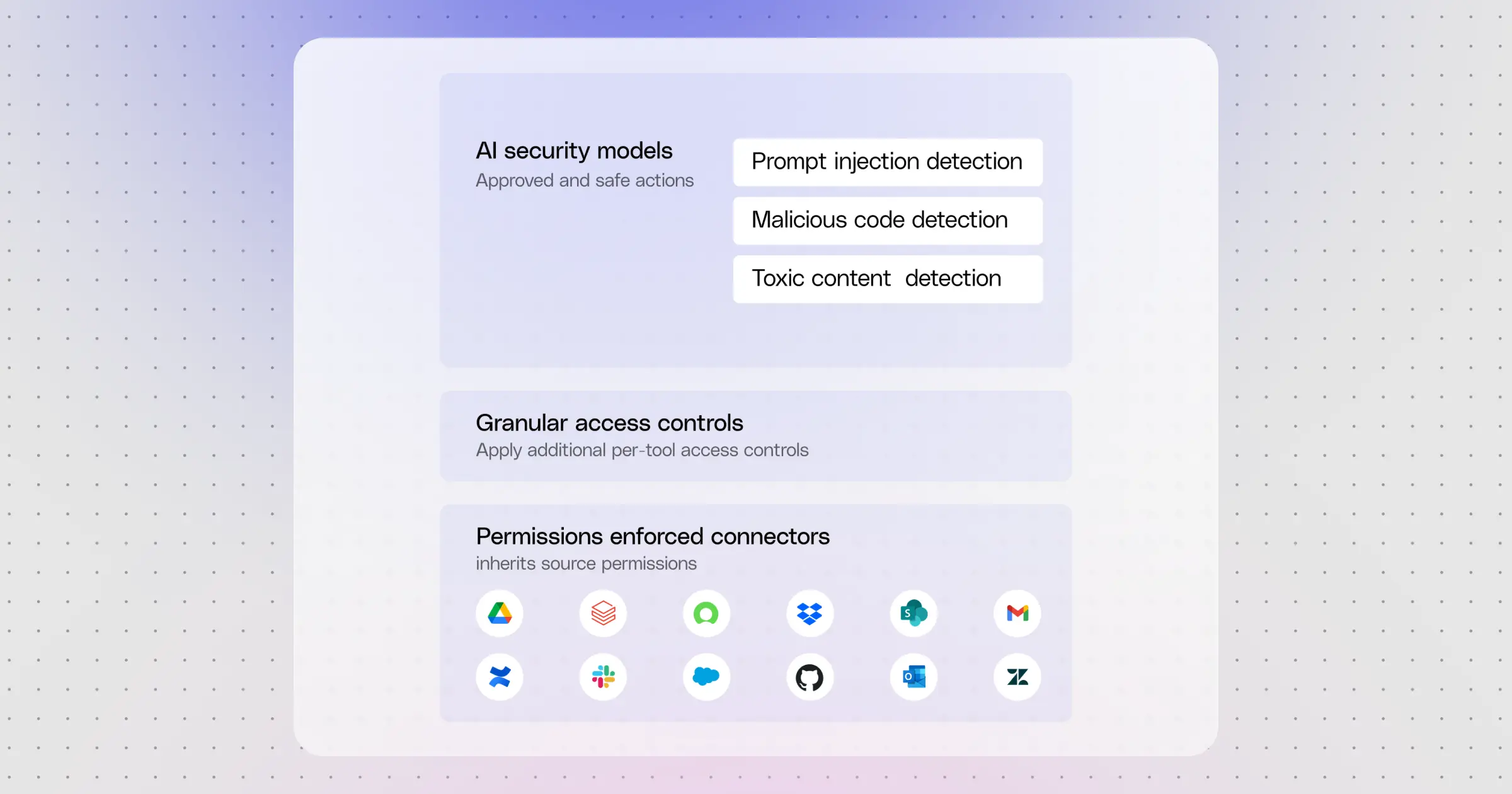
Every MCP call through the Gateway goes through the same four controls:
- Permission-enforced connectors. Source-system permissions are inherited. If a user cannot see a Jira ticket, they cannot read it through the Gateway. If they cannot write to a downstream record, they cannot write to it through the Gateway either.
- Authorization that uses your IdP. OAuth runs through Glean's Authorization Server, with user authentication delegated to your existing identity provider. The host only ever holds an MCP token from Glean. Downstream OAuth tokens stay server-side, so a compromised host session exposes no downstream credentials. Per-datasource OAuth completes on first use through a sign-in link the Gateway hands the host.
- Granular access controls. Admins decide which teams get which tools and which ones require a human in the loop, so one team can access write tools while another team can not.
- AI security models applied on tool calls. Tools invoked through the Gateway are checked against prompt injection, malicious code, and toxic content, to ensure safe operation on different surfaces.
Centralized rollout of MCP via MDM
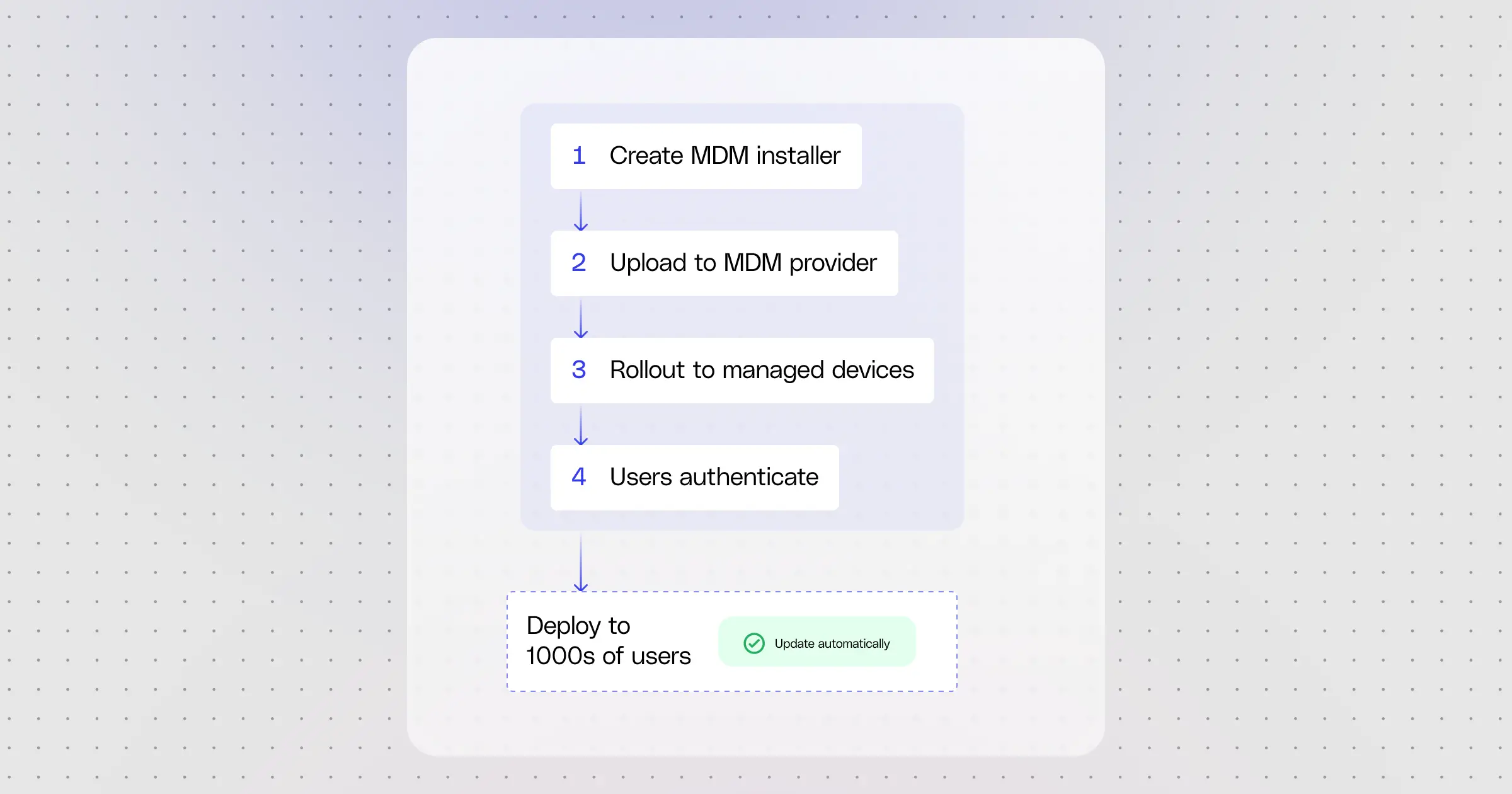
Getting Glean MCP onto one employee's device has always been straightforward. Getting it onto a managed fleet of thousands is when projects stall. Glean MCP Gateway streamlines this by treating MCP like any other enterprise app, making it deployable through your existing Mobile Device Management (MDM). That means:
- Glean MCP is pushed to every managed device automatically, with no per-user setup.
- Employees are onboarded without manual configuration.
- Security and device policies are enforced centrally, the same way IT enforces them for every other managed app.
- Auto-updates are on by default, so newly supported hosts and configuration changes flow in without anyone having to reinstall.
What lands on each device is configuration only. The MCP server runs on Glean's side, and authentication happens per user on the first call through your identity provider.
Adoption you can see
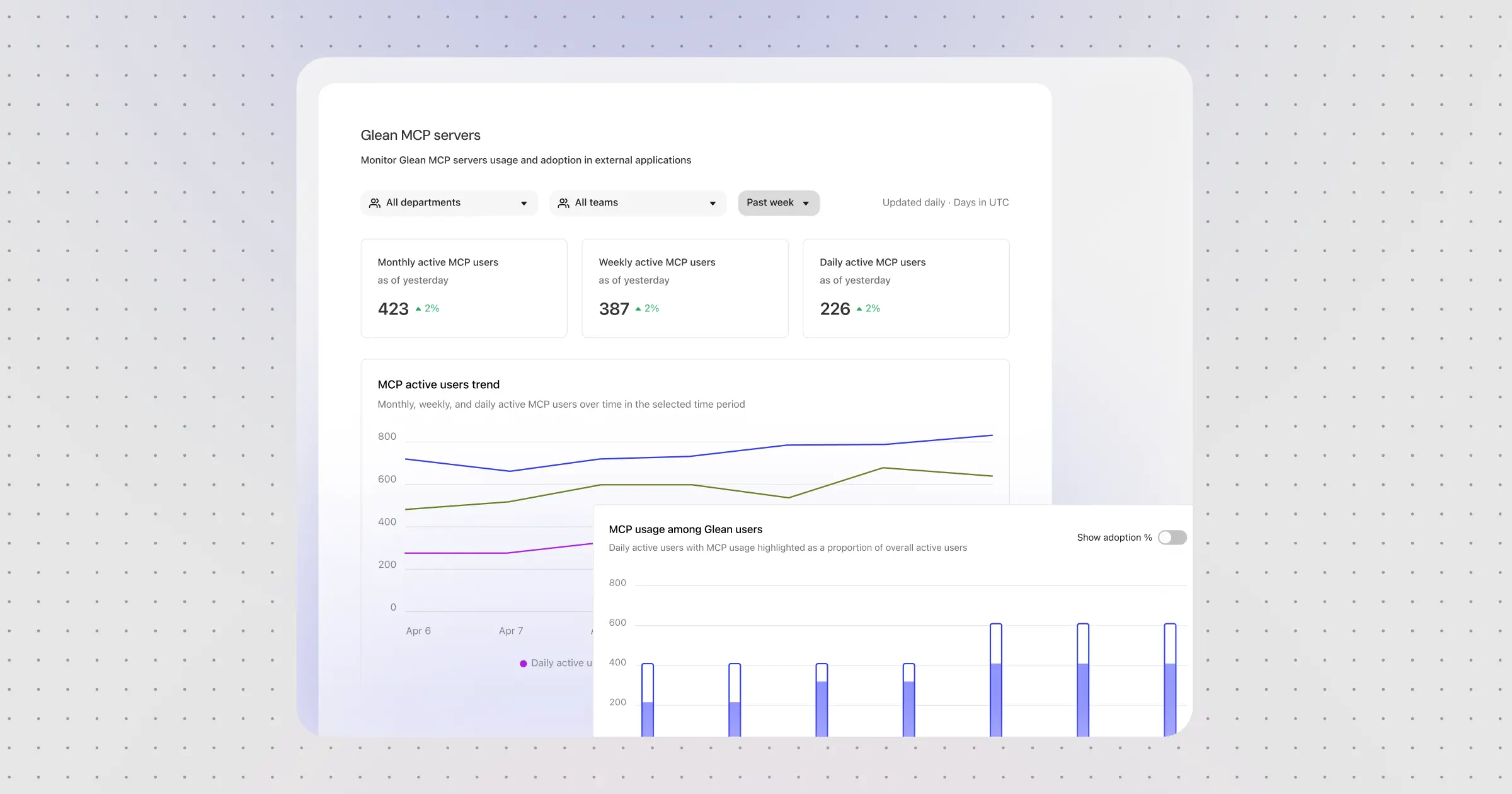
While we've always had audit logs, we are now bringing it into a centralized insights dashboard so you can slice and dice MCP usage by:
- Active users, MCP server calls, tools used, and average calls per user, each with period-over-period deltas.
- Active users over time (daily, weekly, and monthly) with adoption against overall Glean usage.
- Top host applications by active users, to see where MCP traffic is concentrated.
- A Usage Breakdown table that pivots by user, application, MCP tool, or MCP server, with multi-select filters and department-level breakouts, surfacing top tools by usage and their MCP-server attribution.
Every metric is reachable through the Glean Insights API too. Admins can see MCP usage in a centralized insights dashboard alongside the rest of their Glean adoption data. This is adoption telemetry.
Available now
Glean MCP Gateway enables you to access complete enterprise context that's performant and token efficient across the leading MCP hosts. It makes deploying MCP across your company easy and secure, and lets you manage it through MDM like any other application, with built-in security and centralized observability through Insights dashboards.
Learn more by requesting a demo of Glean today.
Authors: Aditya Kumar, David Hamilton, Harshi Murthy, Mohit Gupta, Roshan Dheram, Daniel Martinho
