







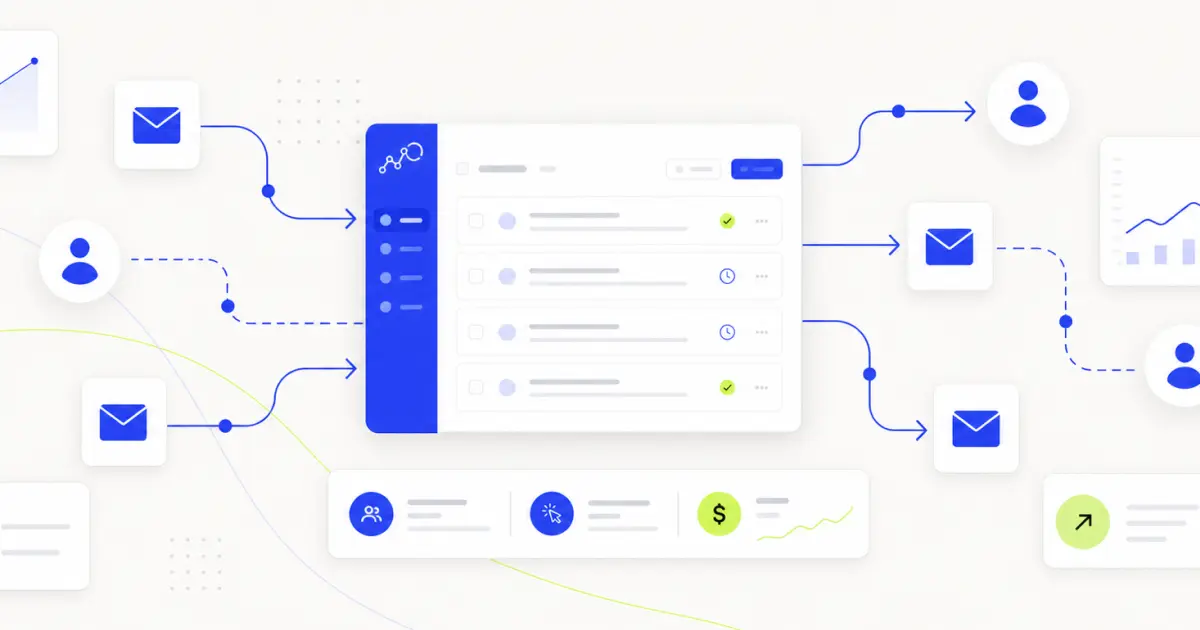
Email automation is one of the highest-ROI investments a marketing team can make.
For every $1 spent on email marketing, businesses earn an average return of $36 and for retail and e-commerce brands, that figure climbs to $45 (Litmus, 2024)
Done right, it replaces manual effort with a system that sends the right message to the right person at exactly the right moment, nurturing thousands of leads, recovering lost sales, and strengthening customer relationships without anyone sitting at a keyboard.
This guide covers what automated emails are, which email automation tools to consider, how to build drip campaigns and automation workflows, and how to measure what matters.
Let’s get started.
What are automated emails?
Automated emails are messages sent based on triggers, rules, or schedules with zero or limited manual clicks. New sign-ups get a welcome sequence. Cart abandoners get a recovery series. Subscribers who go quiet for 90 days enter re-engagement campaigns.
So that every message fires based on behavior, not typically when the marketer hits send.
The three core benefits are speed, scale, and relevance.
With nearly 4.5 billion email users worldwide, projected to reach 4.8 billion by 2027 (Statista), the reach of email remains unmatched by any other channel.
Comparing email automation tools and platforms
Email automation platform categories
Email automation tools fall into four broad categories:
- Entry-level platforms (Mailchimp, Brevo) Best for small lists and simple automated campaigns. Easy to use, low cost, and limited in logic. Good for new customers and early-stage businesses.
Note: Mailchimp's free plan is now limited to 250 subscribers and 500 emails/month one of the most restricted free tiers available.
- Mid-market platforms ((MailerLite, ActiveCampaign, Drip, Klaviyo) Stronger segmentation, behavioral triggers, and CRM features. MailerLite in particular offers a generous free plan (500 subscribers, 12,000 emails/month) and is rated the top free email marketing platform for advanced marketers. Ideal for growing ecommerce brands and SaaS teams.
- Enterprise marketing automation platforms (HubSpot, Marketo, Salesforce Marketing Cloud): Full lifecycle marketing, deep CRM integration, predictive analytics, and advanced reporting. Higher cost and complexity.
- Ecommerce-native platforms (Klaviyo, Omnisend): Built specifically for e-commerce brands. Native integrations with Shopify, WooCommerce, and BigCommerce, plus out-of-the-box e-commerce automation templates. Omnisend offers 27+ pre-built e-commerce flows even on its free plan, while Klaviyo's free plan has the same subscriber limits but fewer features.
Feature and pricing comparison
The table below combines features with the most relevant pricing data. Every platform includes a drag-and-drop editor except Kit
<div class="overflow-scroll" role="region" aria-label="Email marketing platforms comparison table">
<table class="rich-text-table_component">
<thead class="rich-text-table_head">
<tr class="rich-text-table_row">
<th class="rich-text-table_header" scope="col">Platform</th>
<th class="rich-text-table_header" scope="col">Automation depth</th>
<th class="rich-text-table_header" scope="col">CRM</th>
<th class="rich-text-table_header" scope="col">Free plan</th>
<th class="rich-text-table_header" scope="col">Paid from</th>
</tr>
</thead>
<tbody class="rich-text-table_body">
<tr class="rich-text-table_row">
<td class="rich-text-table_cell">MailerLite</td>
<td class="rich-text-table_cell">Intermediate</td>
<td class="rich-text-table_cell">Limited</td>
<td class="rich-text-table_cell">500 contacts, 12K emails/mo</td>
<td class="rich-text-table_cell">$10/mo</td>
</tr>
<tr class="rich-text-table_row">
<td class="rich-text-table_cell">Brevo</td>
<td class="rich-text-table_cell">Intermediate</td>
<td class="rich-text-table_cell">Full CRM</td>
<td class="rich-text-table_cell">2,000 contacts, 300 emails/day</td>
<td class="rich-text-table_cell">$9/mo</td>
</tr>
<tr class="rich-text-table_row">
<td class="rich-text-table_cell">Sender</td>
<td class="rich-text-table_cell">Intermediate</td>
<td class="rich-text-table_cell">Limited</td>
<td class="rich-text-table_cell">2,500 contacts, 15K emails/mo</td>
<td class="rich-text-table_cell">$15/mo</td>
</tr>
<tr class="rich-text-table_row">
<td class="rich-text-table_cell">Omnisend</td>
<td class="rich-text-table_cell">Intermediate</td>
<td class="rich-text-table_cell">Limited</td>
<td class="rich-text-table_cell">250 contacts, 500 emails/mo</td>
<td class="rich-text-table_cell">$16/mo</td>
</tr>
<tr class="rich-text-table_row">
<td class="rich-text-table_cell">Kit</td>
<td class="rich-text-table_cell">Basic</td>
<td class="rich-text-table_cell">Limited</td>
<td class="rich-text-table_cell">10,000 contacts, unlimited sends</td>
<td class="rich-text-table_cell">$25/mo</td>
</tr>
<tr class="rich-text-table_row">
<td class="rich-text-table_cell">Mailchimp</td>
<td class="rich-text-table_cell">Basic</td>
<td class="rich-text-table_cell">Limited</td>
<td class="rich-text-table_cell">250 contacts, 500 emails/mo</td>
<td class="rich-text-table_cell">$13/mo</td>
</tr>
<tr class="rich-text-table_row">
<td class="rich-text-table_cell">ActiveCampaign</td>
<td class="rich-text-table_cell">Advanced</td>
<td class="rich-text-table_cell">Built-in</td>
<td class="rich-text-table_cell">No free plan (14-day trial)</td>
<td class="rich-text-table_cell">$15/mo (annual)</td>
</tr>
<tr class="rich-text-table_row">
<td class="rich-text-table_cell">Klaviyo</td>
<td class="rich-text-table_cell">Advanced</td>
<td class="rich-text-table_cell">Yes</td>
<td class="rich-text-table_cell">250 contacts, 500 emails/mo</td>
<td class="rich-text-table_cell">$20/mo</td>
</tr>
<tr class="rich-text-table_row">
<td class="rich-text-table_cell">HubSpot</td>
<td class="rich-text-table_cell">Enterprise</td>
<td class="rich-text-table_cell">Full CRM</td>
<td class="rich-text-table_cell">Limited free tier</td>
<td class="rich-text-table_cell">$15/mo/seat</td>
</tr>
<tr class="rich-text-table_row">
<td class="rich-text-table_cell">Drip</td>
<td class="rich-text-table_cell">Advanced</td>
<td class="rich-text-table_cell">Yes</td>
<td class="rich-text-table_cell">No free plan</td>
<td class="rich-text-table_cell">$39/mo</td>
</tr>
</tbody>
</table>
</div>
The quick recommendation
- Under 2,000 contacts, starting out: MailerLite. Best all-round free option with robust automation.
- Ecommerce on a budget: Omnisend. 27+ pre-built flows and pre-segmented audience lists on the free plan.
- Complex workflows + CRM: ActiveCampaign. No free plan, but the automation builder is the deepest in this tier.
- Creators and newsletters: Kit. 10,000 subscribers and unlimited sends free.
- All-in-one with SMS: Brevo. Full CRM, SMS, and WhatsApp campaigns on the free plan.
Choosing email automation software
Start with what you’re automating
Before comparing tools, get clear on your use cases:
- onboarding new subscribers?
- Recovering abandoned carts?
- Nurturing leads through a long sales funnel?
- Sending transactional email?
Each requires different features.
A B2B company running multi-touch nurture sequences needs a different platform than an ecommerce brand focused on post-purchase flows.
Match the platform to your team
<div class="overflow-scroll" role="region" aria-label="Team profile and best fit tools">
<table class="rich-text-table_component">
<thead class="rich-text-table_head">
<tr class="rich-text-table_row">
<th class="rich-text-table_header" scope="col">Team profile</th>
<th class="rich-text-table_header" scope="col">Best fit</th>
</tr>
</thead>
<tbody class="rich-text-table_body">
<tr class="rich-text-table_row">
<td class="rich-text-table_cell">Solo marketer, no dev support</td>
<td class="rich-text-table_cell">MailerLite, Brevo</td>
</tr>
<tr class="rich-text-table_row">
<td class="rich-text-table_cell">Small team, moderate complexity</td>
<td class="rich-text-table_cell">ActiveCampaign, Klaviyo</td>
</tr>
<tr class="rich-text-table_row">
<td class="rich-text-table_cell">Marketing ops with dev access</td>
<td class="rich-text-table_cell">HubSpot, Marketo</td>
</tr>
<tr class="rich-text-table_row">
<td class="rich-text-table_cell">Ecommerce-first (Shopify/WooCommerce)</td>
<td class="rich-text-table_cell">Omnisend, Klaviyo</td>
</tr>
</tbody>
</table>
</div>
One thing this table doesn’t capture: before you open your ESP, your team needs fast access to everything that informs the email, customer stories, brand guidelines, past campaign performance, and product updates. If that information lives in Google Drive, Salesforce, Slack, and Confluence, your marketer is spending more time searching than writing.
A work AI platform like Glean connects to 100+ apps and lets your team search across all of them from a single bar. That’s the context layer that makes every ESP more effective.
Building automation workflows and drip campaigns
Map the customer journey first
Start by mapping every stage.
awareness → consideration → first purchase → onboarding → retention → re-engagement.
Each stage calls for different messaging—welcome emails shouldn’t read like a sales pitch, and re-engagement campaigns shouldn’t pretend a customer never bought from you.
In practice, this means pulling from CRM notes, support tickets, product usage data, and past campaign reports, often across five different platforms.
Glean’s AI assistant lets you ask something like “What are the top 3 reasons customers churn in the first 90 days?” and get an answer synthesized from your Salesforce notes, Zendesk tickets, and Slack threads in seconds. The journey map writes itself when you start with data instead of assumptions.
Design drip campaigns for each funnel stage
<div class="overflow-scroll" role="region" aria-label="Funnel stages and email strategy">
  <table class="rich-text-table_component">
    <thead class="rich-text-table_head">
      <tr class="rich-text-table_row">
        <th class="rich-text-table_header" scope="col">Funnel stage</th>
        <th class="rich-text-table_header" scope="col">Goal</th>
        <th class="rich-text-table_header" scope="col">Emails</th>
        <th class="rich-text-table_header" scope="col">Timing</th>
      </tr>
    </thead>
    <tbody class="rich-text-table_body">
      <tr class="rich-text-table_row">
        <td class="rich-text-table_cell">New sign-ups</td>
        <td class="rich-text-table_cell">Build trust, introduce brand</td>
        <td class="rich-text-table_cell">3–5</td>
        <td class="rich-text-table_cell">Days 1, 3, 7, 14</td>
      </tr>
      <tr class="rich-text-table_row">
        <td class="rich-text-table_cell">Trial/free user</td>
        <td class="rich-text-table_cell">Drive activation</td>
        <td class="rich-text-table_cell">4–6</td>
        <td class="rich-text-table_cell">Days 1, 3, 5, 10, 14</td>
      </tr>
      <tr class="rich-text-table_row">
        <td class="rich-text-table_cell">Post-purchase</td>
        <td class="rich-text-table_cell">Onboard, upsell, collect feedback</td>
        <td class="rich-text-table_cell">3–4</td>
        <td class="rich-text-table_cell">Days 1, 3, 7, 30</td>
      </tr>
      <tr class="rich-text-table_row">
        <td class="rich-text-table_cell">Inactive subscriber</td>
        <td class="rich-text-table_cell">Re-engage or remove</td>
        <td class="rich-text-table_cell">2–3</td>
        <td class="rich-text-table_cell">Days 0, 7, 14</td>
      </tr>
    </tbody>
  </table>
</div>
Set triggers that match real behavior
Triggers are the engine. Common ones to configure:
- Form submissions — subscribe, download, free trial sign-up
- Website visits — pricing page, product page, specific category
- Purchase events — order placed, specific product bought
- Cart events — item added, checkout started, cart abandoned
- Time-based — days since last purchase or sign-up
- Engagement signals — opened, clicked, or went inactive
Before opening your automation platform, write out the full logic: trigger → condition → action → wait → next action. This makes workflows faster to build, easier to edit, and simpler to hand off.
Automated email campaigns for ecommerce
Nearly 70% of online carts are abandoned before checkout (Baymard Institute, 2025)—making cart recovery the single highest-ROI automation to implement first:
- Cart abandonment — fire within 1 hour for best recovery rates
- Browse abandonment — viewed a product but didn’t add to cart
- Post-purchase — starts the onboarding process immediately after order confirmation
- Winback — triggered after 60–90 days of no purchase activity
- Low inventory alert — wishlisted item running low
Personalization that goes beyond product blocks
AI-powered tools like Omnisend and Klaviyo generate dynamic product recommendations automatically from purchase and browse data. But product personalization is only half the equation.
Message personalization, the copy, tone, and story around the product, still requires human context. What’s the latest positioning? What do customers love most? What objections keep coming up?
A platform like Glean closes that gap. Search once and get the positioning doc from Google Drive, customer quotes from Zendesk, and sales objection notes from Salesforce, all in one answer. Your ESP handles the dynamic blocks; Glean handles the institutional knowledge that makes the copy resonate.
Leverage transactional email
Transactional emails, receipts, and shipping notifications have 60–80% open rates and generate 8x more engagement than standard marketing emails (Experian). Use that attention: ask for feedback 3–5 days post-delivery, recommend complementary products, or introduce your loyalty program. Keep the functional content primary, never lead with the pitch.
Email campaign templates and workflows
Each template below includes the full workflow logic timing, triggers, and escalation steps so you can build directly from this section.
Welcome-to-customer journey
Goal: Convert new subscribers into first-time buyers within 30 days
<div class="overflow-scroll" role="region" aria-label="Welcome flow steps, timing, actions, and triggers">
<table class="rich-text-table_component">
<thead class="rich-text-table_head">
<tr class="rich-text-table_row">
<th class="rich-text-table_header" scope="col">Step</th>
<th class="rich-text-table_header" scope="col">Timing</th>
<th class="rich-text-table_header" scope="col">Action</th>
<th class="rich-text-table_header" scope="col">Trigger</th>
</tr>
</thead>
<tbody class="rich-text-table_body">
<tr class="rich-text-table_row">
<td class="rich-text-table_cell">Day 0</td>
<td class="rich-text-table_cell">Immediately</td>
<td class="rich-text-table_cell">New sign-up via form or popup</td>
<td class="rich-text-table_cell">Email 1: The welcome – Warm intro, brand promise, what’s coming. No hard sell.</td>
</tr>
<tr class="rich-text-table_row">
<td class="rich-text-table_cell">Email 2: The story</td>
<td class="rich-text-table_cell">Day 3</td>
<td class="rich-text-table_cell">Founder story or brand mission. Build connection before conversion.</td>
<td class="rich-text-table_cell">Send on Day 3 after initial sign-up.</td>
</tr>
<tr class="rich-text-table_row">
<td class="rich-text-table_cell">Email 3: The proof</td>
<td class="rich-text-table_cell">Day 7</td>
<td class="rich-text-table_cell">Social proof—reviews, testimonials, customer story.</td>
<td class="rich-text-table_cell">Send on Day 7 after initial sign-up.</td>
</tr>
<tr class="rich-text-table_row">
<td class="rich-text-table_cell">Email 4: The offer</td>
<td class="rich-text-table_cell">Day 14</td>
<td class="rich-text-table_cell">First purchase incentive—discount, free shipping, or trial upgrade.</td>
<td class="rich-text-table_cell">Send on Day 14 after initial sign-up.</td>
</tr>
<tr class="rich-text-table_row">
<td class="rich-text-table_cell">Check</td>
<td class="rich-text-table_cell">Day 15</td>
<td class="rich-text-table_cell">Bought? Yes → post-purchase flow. No → continue.</td>
<td class="rich-text-table_cell">Evaluate purchase status on Day 15.</td>
</tr>
<tr class="rich-text-table_row">
<td class="rich-text-table_cell">Email 5</td>
<td class="rich-text-table_cell">Day 21</td>
<td class="rich-text-table_cell">Urgency or last chance on offer.</td>
<td class="rich-text-table_cell">Send on Day 21 if no purchase.</td>
</tr>
<tr class="rich-text-table_row">
<td class="rich-text-table_cell">Email 6</td>
<td class="rich-text-table_cell">Day 30</td>
<td class="rich-text-table_cell">Educational content or alternative offer.</td>
<td class="rich-text-table_cell">Send on Day 30 if still no purchase.</td>
</tr>
</tbody>
</table>
</div>
Cart abandonment recovery
<div class="overflow-scroll" role="region" aria-label="Cart abandonment flow steps, timing, actions, and triggers">
<table class="rich-text-table_component">
<thead class="rich-text-table_head">
<tr class="rich-text-table_row">
<th class="rich-text-table_header" scope="col">Step</th>
<th class="rich-text-table_header" scope="col">Timing</th>
<th class="rich-text-table_header" scope="col">Action</th>
<th class="rich-text-table_header" scope="col">Trigger</th>
</tr>
</thead>
<tbody class="rich-text-table_body">
<tr class="rich-text-table_row">
<td class="rich-text-table_cell">Cart abandoned</td>
<td class="rich-text-table_cell">Checkout started, session ends without purchase</td>
<td class="rich-text-table_cell">Email 1</td>
<td class="rich-text-table_cell">1 hour – Soft reminder—product image, price, one CTA back to cart</td>
</tr>
<tr class="rich-text-table_row">
<td class="rich-text-table_cell">Check</td>
<td class="rich-text-table_cell">24 hours</td>
<td class="rich-text-table_cell">Returned? Yes → exit. No → continue.</td>
<td class="rich-text-table_cell">Evaluate cart recovery at 24 hours</td>
</tr>
<tr class="rich-text-table_row">
<td class="rich-text-table_cell">Email 2</td>
<td class="rich-text-table_cell">24 hours</td>
<td class="rich-text-table_cell">Address objections—FAQ, returns policy, trust signals</td>
<td class="rich-text-table_cell">Send if cart not recovered at 24 hours</td>
</tr>
<tr class="rich-text-table_row">
<td class="rich-text-table_cell">Check</td>
<td class="rich-text-table_cell">48 hours</td>
<td class="rich-text-table_cell">Returned? Yes → exit. No → continue.</td>
<td class="rich-text-table_cell">Evaluate cart recovery at 48 hours</td>
</tr>
<tr class="rich-text-table_row">
<td class="rich-text-table_cell">Email 3</td>
<td class="rich-text-table_cell">72 hours</td>
<td class="rich-text-table_cell">Urgency (low stock) or incentive (free shipping, 10% off)</td>
<td class="rich-text-table_cell">Send if cart not recovered at 72 hours</td>
</tr>
<tr class="rich-text-table_row">
<td class="rich-text-table_cell">SMS fallback</td>
<td class="rich-text-table_cell">96 hours</td>
<td class="rich-text-table_cell">If SMS opt-in exists and cart unrecovered → text</td>
<td class="rich-text-table_cell">Send SMS at 96 hours if cart still unrecovered and SMS consent present</td>
</tr>
</tbody>
</table>
</div>
Post-purchase onboarding
<div class="overflow-scroll" role="region" aria-label="Post-purchase flow steps, timing, actions, and triggers">
<table class="rich-text-table_component">
<thead class="rich-text-table_head">
<tr class="rich-text-table_row">
<th class="rich-text-table_header" scope="col">Step</th>
<th class="rich-text-table_header" scope="col">Timing</th>
<th class="rich-text-table_header" scope="col">Action</th>
<th class="rich-text-table_header" scope="col">Trigger</th>
</tr>
</thead>
<tbody class="rich-text-table_body">
<tr class="rich-text-table_row">
<td class="rich-text-table_cell">Order confirmed</td>
<td class="rich-text-table_cell">Purchase event fires</td>
<td class="rich-text-table_cell">Email 1</td>
<td class="rich-text-table_cell">Immediately – Order confirmation + shipping timeline</td>
</tr>
<tr class="rich-text-table_row">
<td class="rich-text-table_cell">Email 2</td>
<td class="rich-text-table_cell">Day 3</td>
<td class="rich-text-table_cell">How to get the most from [product]</td>
<td class="rich-text-table_cell">Send 3 days after purchase</td>
</tr>
<tr class="rich-text-table_row">
<td class="rich-text-table_cell">Email 3</td>
<td class="rich-text-table_cell">Day 7</td>
<td class="rich-text-table_cell">Support resources, community, FAQ</td>
<td class="rich-text-table_cell">Send 7 days after purchase</td>
</tr>
<tr class="rich-text-table_row">
<td class="rich-text-table_cell">Email 4</td>
<td class="rich-text-table_cell">Day 14</td>
<td class="rich-text-table_cell">Review request + customer feedback</td>
<td class="rich-text-table_cell">Send 14 days after purchase</td>
</tr>
<tr class="rich-text-table_row">
<td class="rich-text-table_cell">Email 5</td>
<td class="rich-text-table_cell">Day 30</td>
<td class="rich-text-table_cell">Cross-sell or loyalty program invite</td>
<td class="rich-text-table_cell">Send 30 days after purchase</td>
</tr>
</tbody>
</table>
</div>
Re-engagement sequence
- Day 0: The check-in — “We miss you—here’s what’s new.” Highlights recent products or content.
- Day 7: The incentive — Discount or exclusive offer to drive a return purchase.
- Day 14: The honest ask — “Should we keep in touch?” Clear opt-out. Protects deliverability.
Five-step educational drip
Works well for SaaS trials, content downloads, or high-consideration purchases.
- Day 0: The problem. Define the challenge. No pitch, just acknowledgment.
- Day 3: The framework. Teach your approach. Build trust before conversion.
- Day 6: The proof. Case study with specific results. Numbers outperform claims.
- Day 9: The objections. Address the top 2–3 reasons people don’t act. Be honest about limitations.
- Day 12: The ask. Make the offer. By now you’ve earned the right to sell.
If you’re producing 4–6 emails per sequence across multiple segments, consistency becomes the challenge. Glean’s AI assistant drafts copy grounded in your actual marketing docs, style guides, and past campaigns not generic training data. You own the strategy; Glean helps you maintain the voice at volume.
Automation tools, integrations, and platform features
The email automation stack
- ESP: Klaviyo, ActiveCampaign, or HubSpot—your core automation engine
- CRM: HubSpot, Salesforce, or your ESP’s built-in CRM
- Landing pages: Unbounce, Leadpages, or your ESP’s native builder
- Analytics: GA4 + ESP-native reporting
- Forms/popups: Privy, OptinMonster, or native forms
Key integrations by business type
<div class="overflow-scroll" role="region" aria-label="Business type and key integrations">
<table class="rich-text-table_component">
<thead class="rich-text-table_head">
<tr class="rich-text-table_row">
<th class="rich-text-table_header" scope="col">Business type</th>
<th class="rich-text-table_header" scope="col">Key integrations</th>
</tr>
</thead>
<tbody class="rich-text-table_body">
<tr class="rich-text-table_row">
<td class="rich-text-table_cell">Ecommerce</td>
<td class="rich-text-table_cell">Shopify, WooCommerce, Gorgias, LoyaltyLion</td>
</tr>
<tr class="rich-text-table_row">
<td class="rich-text-table_cell">SaaS / B2B</td>
<td class="rich-text-table_cell">Salesforce, HubSpot, Intercom, Segment</td>
</tr>
<tr class="rich-text-table_row">
<td class="rich-text-table_cell">Content / media</td>
<td class="rich-text-table_cell">WordPress, Webflow, Zapier</td>
</tr>
<tr class="rich-text-table_row">
<td class="rich-text-table_cell">Brick-and-mortar</td>
<td class="rich-text-table_cell">Square, Mindbody, Eventbrite</td>
</tr>
</tbody>
</table>
</div>
Across all types, the gap is usually the same: your ESP knows engagement, your CRM knows deals, your support tool knows complaints, but no single tool knows all of it.
Glean sits across that stack, indexing 100+ tools so your team can find any insight in a single query. When it’s time to write a winback email, you’re pulling from actual data, not guessing what went wrong.
CRM integration essentials
A tight CRM-to-ESP connection means contact records update on every open, click, and purchase. Segments stay in sync without manual exports. Lead scores update based on email behavior. Use native integrations where available; if not, Zapier or Make bridges the gap without dev work.
API and webhook requirements
For custom logic especially in larger ecommerce or SaaS setups, you need REST API access for programmatic contact management, webhooks for real-time event data, and JavaScript or server-side tracking for behavioral triggers. Most mid-market platforms (Klaviyo, ActiveCampaign) include all three. Confirm webhook support before committing.
Scaling your email automation
From 1,000 to 50,000 contacts
<div class="overflow-scroll" role="region" aria-label="List size stages and priorities">
<table class="rich-text-table_component">
<thead class="rich-text-table_head">
<tr class="rich-text-table_row">
<th class="rich-text-table_header" scope="col">Stage</th>
<th class="rich-text-table_header" scope="col">Priorities</th>
</tr>
</thead>
<tbody class="rich-text-table_body">
<tr class="rich-text-table_row">
<td class="rich-text-table_cell">1K–5K</td>
<td class="rich-text-table_cell">Nail welcome emails and cart recovery. MailerLite or Omnisend are the strongest at this stage.</td>
</tr>
<tr class="rich-text-table_row">
<td class="rich-text-table_cell">5K–15K</td>
<td class="rich-text-table_cell">Add segmentation (buyers vs. non-buyers, engaged vs. inactive). Begin A/B testing.</td>
</tr>
<tr class="rich-text-table_row">
<td class="rich-text-table_cell">15K–30K</td>
<td class="rich-text-table_cell">Build lifecycle flows across every funnel stage. Integrate CRM fully.</td>
</tr>
<tr class="rich-text-table_row">
<td class="rich-text-table_cell">30K–50K</td>
<td class="rich-text-table_cell">Add SMS to high-intent flows. Invest in deliverability monitoring. Evaluate Klaviyo or ActiveCampaign.</td>
</tr>
</tbody>
</table>
</div>
As your list grows, the bottleneck shifts from “Can we send the email?” to “Can we find what we need to build the right email?”
At 5,000 contacts, one person knows where everything is. At 30,000 with a team of four, institutional knowledge fragments. Glean saves up to 110 hours per user per year (Forrester) by making every doc, report, and Slack thread searchable from one place. When your team doubles, the knowledge doesn’t get lost, it gets found faster.
Workflow governance
Disorganized workflows at scale mean duplicate sequences, wrong drip assignments, and no one knowing which version is live. Fix this early:
- Naming convention: [Type] — [Audience] — [Trigger] — [Version]. Example: Drip — New Subscribers — Form Submission — v2
- Maintain a master workflow doc with trigger, goal, owner, and last-reviewed date
- Archive (don’t delete) old versions before launching updates
- Require peer review before activating any new workflow
When to outsource
In-house: strategy, segmentation, workflow logic, performance analysis, subject line testing.
Outsource: copywriting for high-volume drip campaigns, template design, complex integration setup. The inflection point: 2–3+ new campaigns per month with your marketer already at capacity.
Final takeaways
Email automation isn’t set-it-and-forget-it. The teams that win treat it like a product, launch, measure, iterate, expand. They map the full customer journey before building any workflow. They write messages that feel human. They test subject lines monthly. They catch deliverability issues before they become problems.
Your strategy is only as strong as the foundation: the right platform for your stage, clean data, workflows triggered by real behavior, and compliance from day one. And underneath all of that is the knowledge layer, the ability to find any campaign brief, customer insight, or performance report the moment you need it.
That’s where Glean earns its place, not by replacing your ESP, but by making everything you feed into it sharper, faster, and more informed.
Start today with one platform, one workflow, one metric. Get that right before expanding. The compounding effect of well-built automation is enormous, but only if the fundamentals are solid.
