








Before LLMs and image generation models became prevalent, building a polished presentation or interactive pages required either real design expertise. Now, anyone at a company can go from prompt to finished deliverable across presentations, dashboards, reports, and more without leaving Glean.
Knowledge work is inherently creative, and the same technology that reduced the design barrier now lets that creativity produce something tangible, not just an answer in chat. That's why we're excited to announce slide generation (GA) and interactive pages (public beta) in Glean Assistant — two new capabilities that help users move from prompt to polished content in a single flow. Slide generation can create full PowerPoint presentations, with Google Slides support coming soon. Interactive pages let users generate dashboards, infographics, visualizations, and more with HTML, all from within Glean and grounded in your company data. It works the way an experienced coworker familiar with your workflows would. Rather than just thinking alongside you, it builds with you, shapes the slide deck, turns a rough answer into something shareable, and takes a first pass on content so you can focus on narrative and polish.
Bring presentations to life, grounded in your company knowledge
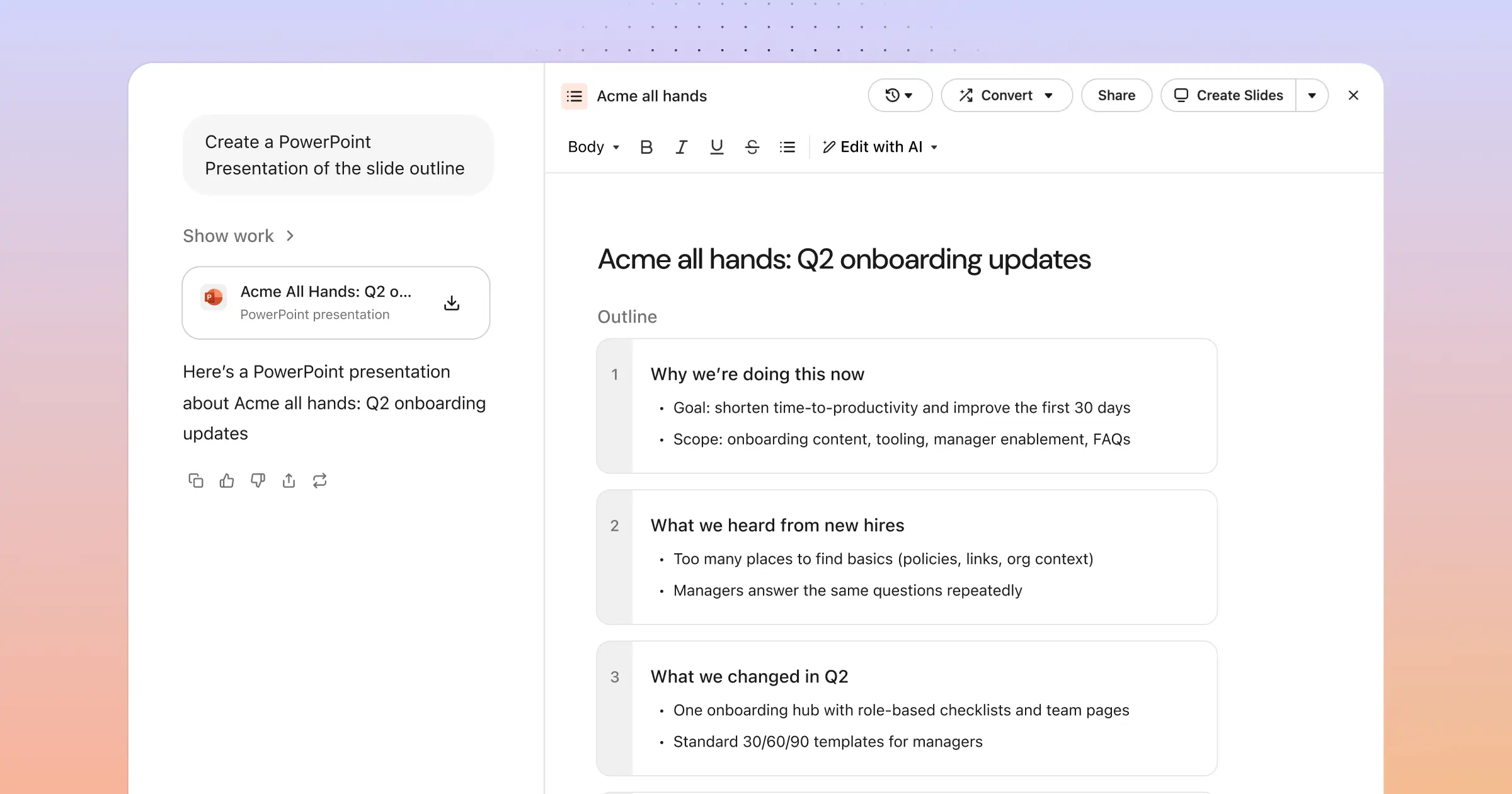
Creating an effective presentation is not just about creating beautiful slides. It’s about crafting a story your audience will understand and act on. With slide generation in Assistant, users can create full presentations grounded in the same permissions-aware knowledge graph that powers Glean search.
Admins upload a company-approved template in the admin console so every deck is on-brand by default. When a prompt requesting a presentation is submitted, Assistant follows the template to propose the structure, draft the content, and generate supporting visuals using image generation, something single-model tools can't do, while users review the narrative, edit copy, add insights from their company context via chat and refine before sharing.
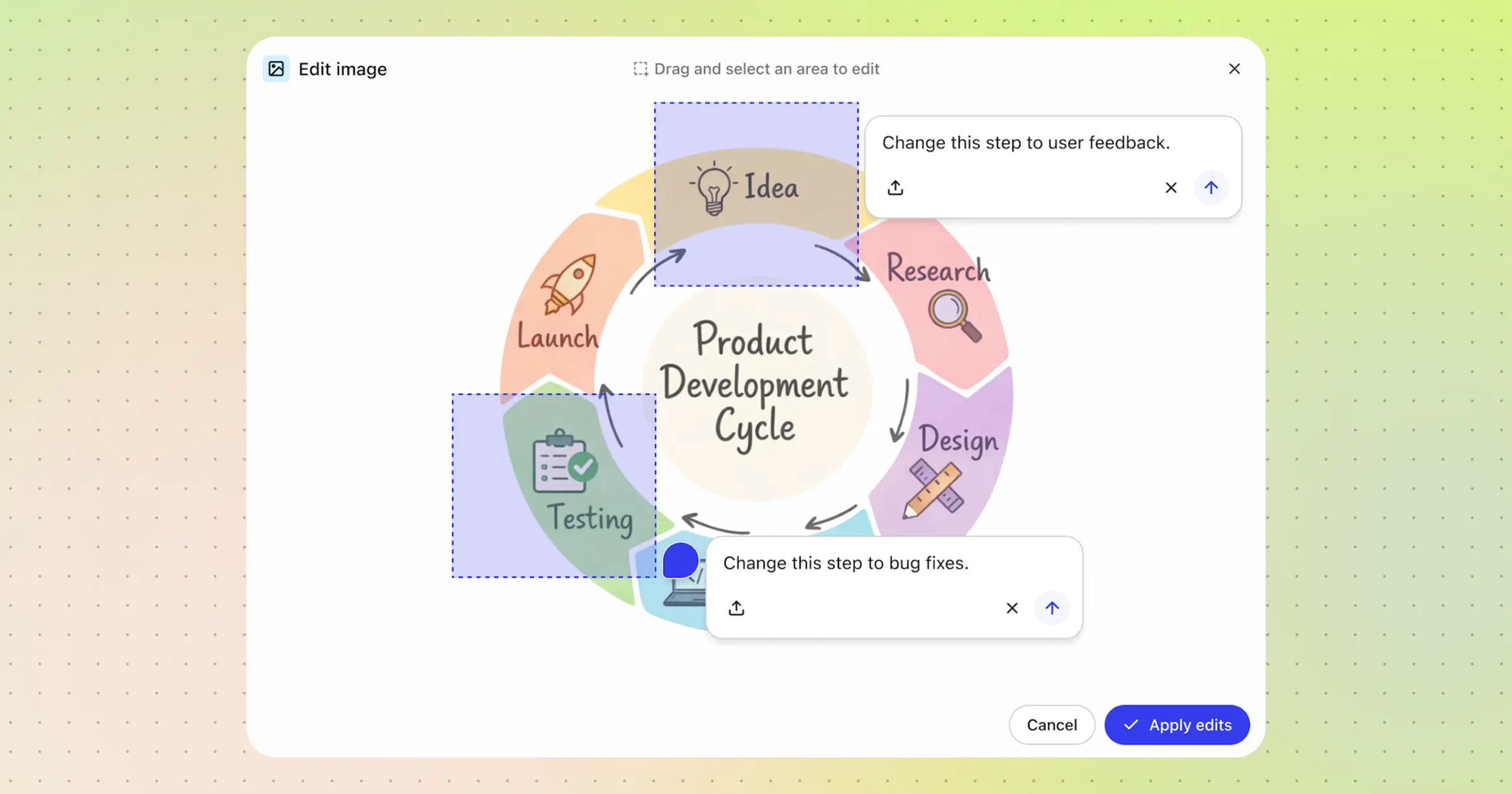
Generated images are fully editable without leaving Glean. Open any image in the viewer, draw annotations on the areas you want changed, describe the edit, and click Apply — keeping the entire generate-to-refine loop in one place.
How this looks in practice:
- Quarterly business reviews: Pull from call recordings, project docs, and pipeline data in one pass to build a QBR deck without toggling between apps.
- Competitive briefings: Generate a briefing deck grounded in the latest win/loss data from your CRM, positioning from sales enablement, and recent call data from Gong.
- Launch and roadmap decks: Build launch plans, enablement decks, and roadmap reviews from existing company docs, keeping the content current and the format on-brand.
This means less time spent starting from scratch and toggling between apps to gather context, and more time for refining your messaging.
Create interactive pages with natural language
Not every presentation belongs in a slide deck or document. Sometimes the information itself needs to be interactive. It could be a dashboard you can filter, a visualization you can explore, or a structured page that immediately surfaces what’s most relevant to you.
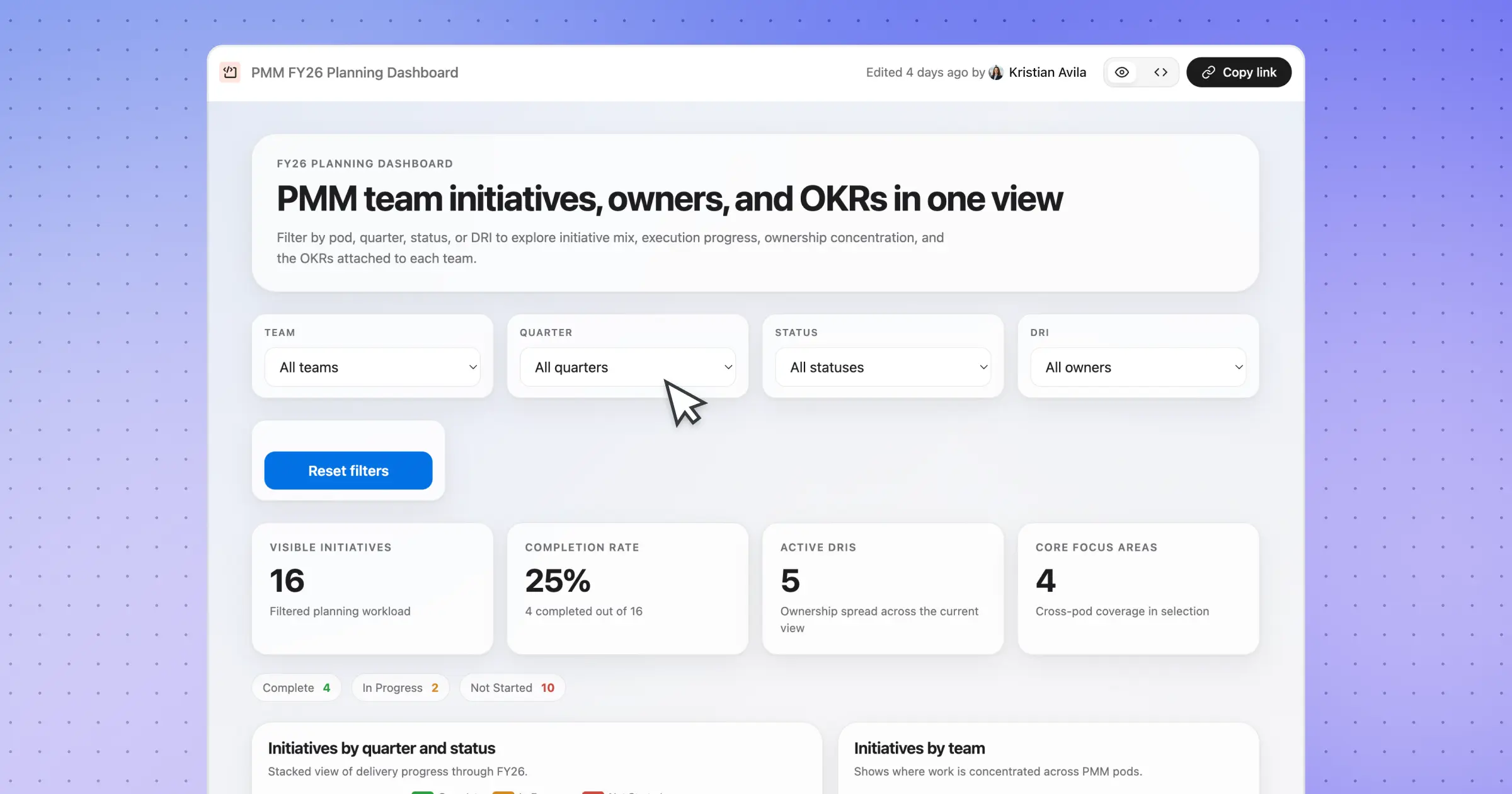
Now, Assistant can turn an idea, response, or source document into a dynamic page in canvas with HTML. Build dashboards, diagrams, infographics, calculators, and more — all grounded in your business context, ready to share with teammates.
Where this shines:
- Internal dashboards and trackers: Turn a dense annual planning doc into an interactive view filtered by team, quarter, and status, with DRIs mapped to each initiative.
- Customer-facing collateral: Build a personalized, visual overview of a customer engagement, including use cases discussed, success criteria, and deployment timelines, all pulled from your call notes, emails, and CRM.
- Product and data visualizations: Surface product SKUs, feature release calendars, or competitive landscapes as filterable, scannable visuals that teams can actually explore rather than just read.
These interactive pages are grounded in real context — pulling live data from your connected apps, understanding who owns what, what's current, and what's relevant to you. That means assets that once took hours of manual work and HTML expertise now take minutes, and the results aren't static exports — they're dynamic experiences built from your actual business that drive impactful results.
Enterprise-ready presentations and pages
Every artifact Assistant produces, whether an email, slide deck, or dashboard, is grounded in the same Personal and Enterprise Graph that powers the platform. That means the content itself is personalized, permissions-aware, and pulled from sources your team actually trusts.
Presentations produced by assistant also always remain on brand as long as you’ve uploaded a company-approved template in the admin console. Every generated deck will follow your approved fonts, colors, and layouts by default. Accurate content from your organization’s enterprise graph, consistent format from the template every time, without the manual setup.
If you want to learn more about how to start building your own content with Glean Assistant, reach out to our team for a demo and check out our April drop page for our latest feature releases.
