







The right AI agent orchestration platform depends on who will own the workflows and where the context lives. Developer frameworks like LangGraph and CrewAI give engineers programmatic control over agent logic. No-code tools like Lindy AI let a business team ship a useful automation in an afternoon. Enterprise platforms like Glean coordinate agents, company data, permissions, and approvals across the systems where work already happens.
The agent orchestration category has blurred because every vendor now uses the same phrase. A developer defining a graph of tool calls, an ops manager wiring a trigger to a Slack message, and a CIO deciding how two hundred agents will share enterprise context are all doing “agent orchestration.” But each needs a very different product.
As enterprises adopt AI, there’s a marked gap between individual gains and business results. The Work AI Index 2026, published by Glean’s Work AI Institute, surveyed 6,000 digital workers across the US, UK, and Australia. It found that 87% use AI at work, and 75% report saving roughly 11 hours a week through automation alone. Yet only 13% say their organizations perform significantly better as a result. Individual productivity is increasing. Converting that into work the business can depend on is an orchestration and governance problem.
This comparison sorts six agent orchestration options by product type — developer frameworks, no-code automation, and enterprise or cloud platforms — then evaluates each on seven criteria, plus best-fit buyer:
- Glean — enterprise platform
- Gemini Enterprise Agent Platform (formerly Vertex AI) — cloud-native platform
- LangChain and LangGraph — developer framework, with LangSmith as the commercial platform layer
- CrewAI — developer framework, with AMP as the managed platform layer
- Lindy AI — no-code automation
- Microsoft Agent Framework with Microsoft Foundry — developer framework plus cloud platform
What is an agent orchestration platform?
An agent orchestration platform coordinates the agents, tools, and data involved in a multi-step workflow. It decides what happens next, routes work to the right agent, carries context between steps, and keeps a run moving when it has to branch, loop, pause for a person, or retry after a failure.
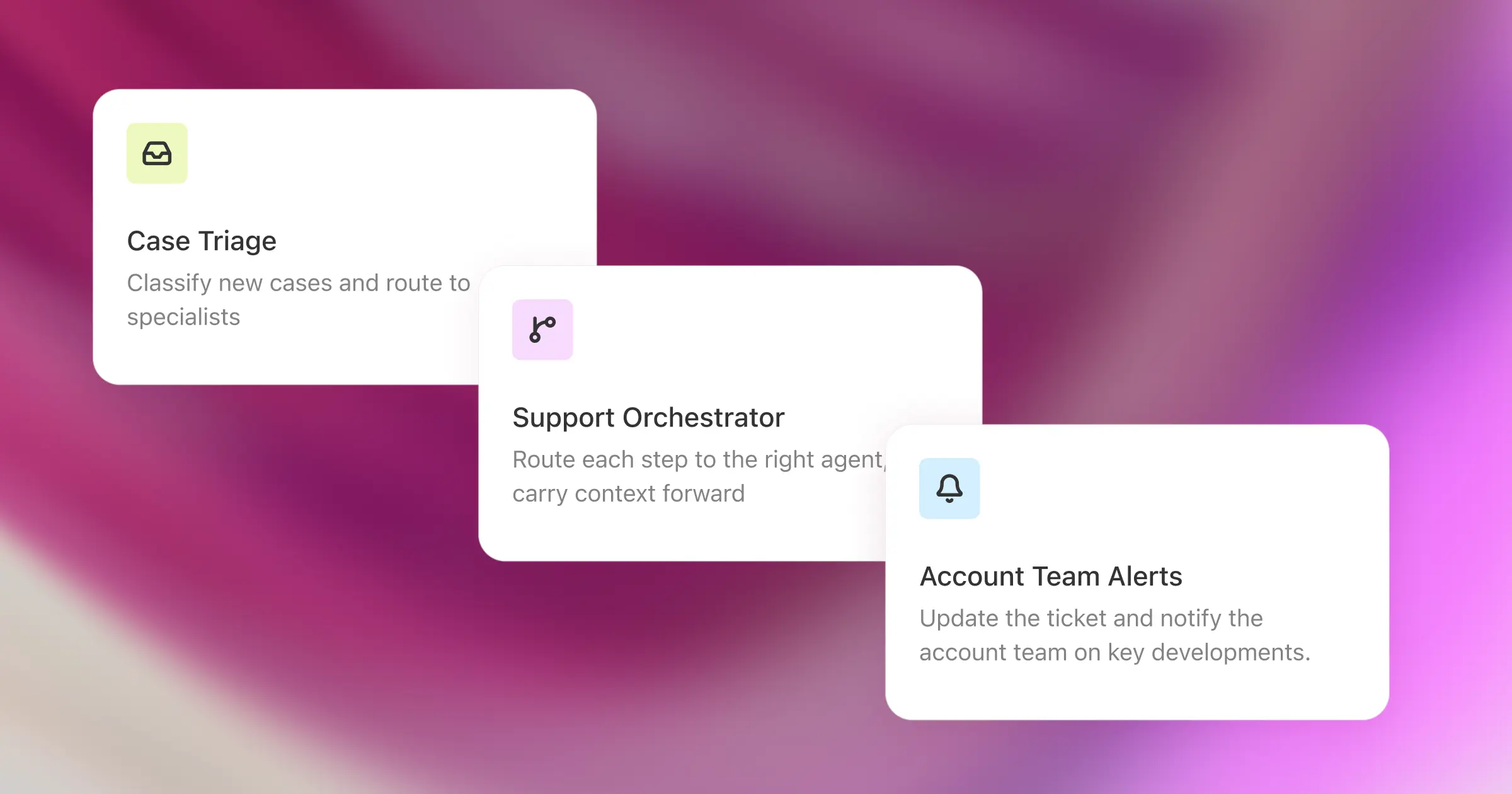
Picture a support workflow. A case arrives. The platform classifies it, pulls the customer’s contract terms and the relevant product documentation, hands a specialist agent the investigation, asks a manager to approve a refund above a set threshold, updates the ticket, and notifies the account team. Six steps, four systems, one permission model. Orchestration holds it all together and, when it breaks, tells you where.
How do AI assistants, agent builders, frameworks, and orchestration platforms differ?
These categories overlap in marketing and diverge in practice.
<div class="overflow-scroll" role="region" aria-label="AI orchestration and agent platforms comparison table">
<table class="rich-text-table_component">
<thead class="rich-text-table_head">
<tr class="rich-text-table_row">
<th class="rich-text-table_header" scope="col">Platform</th>
<th class="rich-text-table_header" scope="col">Best for</th>
<th class="rich-text-table_header" scope="col">Orchestration strengths</th>
<th class="rich-text-table_header" scope="col">Limits to evaluate</th>
<th class="rich-text-table_header" scope="col">Openness</th>
<th class="rich-text-table_header" scope="col">Enterprise readiness</th>
</tr>
</thead>
<tbody class="rich-text-table_body">
<tr class="rich-text-table_row">
<td class="rich-text-table_cell">Glean</td>
<td class="rich-text-table_cell">Enterprise platform</td>
<td class="rich-text-table_cell">Cross-department orchestration over company knowledge and business systems</td>
<td class="rich-text-table_cell">Durable execution, branching and looping, routing, scheduled triggers and question routing, approvals, permission-aware context, trace-level debugging</td>
<td class="rich-text-table_cell">Depth of custom actions for highly specialized engineering workflows</td>
<td class="rich-text-table_cell">APIs, MCP, 250+ connectors, support for third-party agents and frameworks including LangChain and LangGraph</td>
</tr>
<tr class="rich-text-table_row">
<td class="rich-text-table_cell">Gemini Enterprise Agent Platform (formerly Vertex AI)</td>
<td class="rich-text-table_cell">Cloud-native platform</td>
<td class="rich-text-table_cell">Teams standardized on Google Cloud</td>
<td class="rich-text-table_cell">ADK for code-first development and multi-agent systems, Agent Studio for prompt design and testing, Model Garden for model choice</td>
<td class="rich-text-table_cell">Value concentrates inside Google Cloud; evaluate Google Cloud dependencies and IAM configuration required to scope agent access</td>
<td class="rich-text-table_cell">Model Garden spans 200+ models; A2A and MCP support</td>
</tr>
<tr class="rich-text-table_row">
<td class="rich-text-table_cell">LangChain/LangGraph</td>
<td class="rich-text-table_cell">Framework + platform layer</td>
<td class="rich-text-table_cell">Engineers who want explicit control</td>
<td class="rich-text-table_cell">Graph-based workflows, durable execution with checkpointing, conditional routing, human-in-the-loop state inspection</td>
<td class="rich-text-table_cell">You still supply enterprise retrieval, permission enforcement, and the business-user surface</td>
<td class="rich-text-table_cell">Very broad model and tool ecosystem; LangSmith adds tracing, evaluation, and managed deployment</td>
</tr>
<tr class="rich-text-table_row">
<td class="rich-text-table_cell">CrewAI</td>
<td class="rich-text-table_cell">Framework + platform layer</td>
<td class="rich-text-table_cell">Role-based multi-agent development</td>
<td class="rich-text-table_cell">Crews and flows, sequential and hierarchical processes, state and persistence, guardrails, human-in-the-loop triggers</td>
<td class="rich-text-table_cell">Same context gap: the platform governs agents, not your enterprise data model</td>
<td class="rich-text-table_cell">Open-source core, LLM- and hyperscaler-agnostic</td>
</tr>
<tr class="rich-text-table_row">
<td class="rich-text-table_cell">Lindy AI</td>
<td class="rich-text-table_cell">No-code automation</td>
<td class="rich-text-table_cell">Departmental automation across SaaS tools</td>
<td class="rich-text-table_cell">Visual workflow builder, natural-language agent setup, triggers and actions</td>
<td class="rich-text-table_cell">Hosting model, data residency, pricing predictability, and enterprise controls</td>
<td class="rich-text-table_cell">Broad app integrations</td>
</tr>
<tr class="rich-text-table_row">
<td class="rich-text-table_cell">Microsoft Agent Framework + Microsoft Foundry</td>
<td class="rich-text-table_cell">Framework + cloud platform</td>
<td class="rich-text-table_cell">Microsoft-aligned engineering teams</td>
<td class="rich-text-table_cell">Graph-based workflow engine, deterministic branching, parallel execution, durable execution with checkpointing</td>
<td class="rich-text-table_cell">A framework plus a cloud platform, not a like-for-like product; portability outside Microsoft needs testing</td>
<td class="rich-text-table_cell">Supports MCP and A2A interoperability, plus multiple model providers</td>
</tr>
</tbody>
</table>
</div>
One agent is enough when the task is narrow and a single system holds the context. Orchestration becomes necessary when work crosses applications, needs a specialist handoff, depends on an intermediate result, or has to recover safely when a downstream system goes quiet.
Here’s a rough test: if the job fits one prompt and one tool call, skip the platform. If it needs routing, conditional logic, parallel work, human approval, or a durable record of what happened, orchestration belongs in your production architecture.
What to look for in an agent orchestration platform
Workflow control and non-linear logic
Business processes naturally branch. A returns workflow behaves differently for a $40 order and a $40,000 one. Look for conditional logic, loops, scheduled and event-based triggers, parallel and sequential steps, and explicit escalation rules.
Then ask: when a workflow takes an unexpected path, can an administrator see why? Routing rules change as processes change, and a platform that hides its decisions makes almost every change a rebuild.
State, retries, and recovery
Failure is routine. Workers in the Work AI Index reported that 36% of their AI sessions fail outright, requiring a restart or substantial rework. A person who hits a failed session sees it happen and can start over. An unattended workflow that stops halfway may already have written to one system while leaving downstream work undone, with nobody watching. Production platforms should preserve state, retry only the steps that are safe to retry, respect dependencies, and surface incomplete runs rather than lose work silently.
For long-running workflows, ask specifically about checkpointing and durable execution. What happens when a run pauses overnight waiting for an approval, or when someone deploys a change mid-run? A compliance review that waits three days for a human sign-off is a normal workflow, not an edge case.
Multi-agent coordination
A research agent finishes and hands its findings to an analyst agent, which starts from a blank slate because the context never transferred. That is the failure multi-agent orchestration exists to prevent. Orchestration manages handoffs between specialists, keeps shared context coherent, distinguishes parallel from sequential work, and stops two agents from contradicting each other.
Test it with three agents that need each other’s output — research, analysis, review. Each should receive the context it needs, and an operator should be able to watch the handoff happen.
Security, permissions, and approvals
An enterprise agent should have access only to the data and actions available to the person it serves. Watch for broad service-account access that bypasses existing controls, because that turns every agent into a potential data-exposure path.
Permissions must apply at retrieval and at action time. Tool access should narrow to least privilege, approvals should leave a record, and administrators should be able to govern who creates, publishes, shares, and deploys agents through role-based controls.
Observability and auditability
When an agent returns the wrong answer, the answer itself tells you nothing. Operators need the prompt, the retrieved context, the tool calls, the intermediate outputs, the routing decisions, and the errors.
Useful traces are the ones a developer and an administrator can both read. A good platform localizes the failure — retrieval, reasoning, permissions, a tool, or the workflow definition — without anyone paging through raw logs for an afternoon.
Integrations and openness
How much of this workflow will live inside one vendor’s ecosystem? Rarely all of it, which makes it important to closely compare native connectors, APIs, model support, MCP support, and interoperability with outside agents.
Open standards reduce lock-in, but connectivity is not the same as context quality. A connector establishes a connection. Whether retrieval from that system is current, permission-aware, or alert to how documents, people, and projects relate is a different matter — and the Work AI Index found that more than half of workers say critical information they need still isn’t available through their AI tools.
Ease of use for business and technical teams
Most organizations need both developer control and business-user access. A framework gives engineers precision over workflow logic. A visual or natural-language builder lets the person who actually owns the process describe it. The question underneath is ownership: if only engineering can author workflows, the backlog becomes the bottleneck, and if only business users can, IT inherits a portfolio it cannot govern.
Agent orchestration platforms compared at a glance
<div class="overflow-scroll" role="region" aria-label="AI orchestration and agent platforms comparison table">
<table class="rich-text-table_component">
<thead class="rich-text-table_head">
<tr class="rich-text-table_row">
<th class="rich-text-table_header" scope="col">Platform</th>
<th class="rich-text-table_header" scope="col">Best for</th>
<th class="rich-text-table_header" scope="col">Orchestration strengths</th>
<th class="rich-text-table_header" scope="col">Limits to evaluate</th>
<th class="rich-text-table_header" scope="col">Openness</th>
<th class="rich-text-table_header" scope="col">Enterprise readiness</th>
</tr>
</thead>
<tbody class="rich-text-table_body">
<tr class="rich-text-table_row">
<td class="rich-text-table_cell">Glean</td>
<td class="rich-text-table_cell">Enterprise platform</td>
<td class="rich-text-table_cell">Cross-department orchestration over company knowledge and business systems</td>
<td class="rich-text-table_cell">Durable execution, branching and looping, routing, scheduled triggers and question routing, approvals, permission-aware context, trace-level debugging</td>
<td class="rich-text-table_cell">Depth of custom actions for highly specialized engineering workflows</td>
<td class="rich-text-table_cell">APIs, MCP, 250+ connectors, support for third-party agents and frameworks including LangChain and LangGraph</td>
</tr>
<tr class="rich-text-table_row">
<td class="rich-text-table_cell">Gemini Enterprise Agent Platform (formerly Vertex AI)</td>
<td class="rich-text-table_cell">Cloud-native platform</td>
<td class="rich-text-table_cell">Teams standardized on Google Cloud</td>
<td class="rich-text-table_cell">ADK for code-first development and multi-agent systems, Agent Studio for prompt design and testing, Model Garden for model choice</td>
<td class="rich-text-table_cell">Value concentrates inside Google Cloud; evaluate Google Cloud dependencies and IAM configuration required to scope agent access</td>
<td class="rich-text-table_cell">Model Garden spans 200+ models; A2A and MCP support</td>
</tr>
<tr class="rich-text-table_row">
<td class="rich-text-table_cell">LangChain/LangGraph</td>
<td class="rich-text-table_cell">Framework + platform layer</td>
<td class="rich-text-table_cell">Engineers who want explicit control</td>
<td class="rich-text-table_cell">Graph-based workflows, durable execution with checkpointing, conditional routing, human-in-the-loop state inspection</td>
<td class="rich-text-table_cell">You still supply enterprise retrieval, permission enforcement, and the business-user surface</td>
<td class="rich-text-table_cell">Very broad model and tool ecosystem; LangSmith adds tracing, evaluation, and managed deployment</td>
</tr>
<tr class="rich-text-table_row">
<td class="rich-text-table_cell">CrewAI</td>
<td class="rich-text-table_cell">Framework + platform layer</td>
<td class="rich-text-table_cell">Role-based multi-agent development</td>
<td class="rich-text-table_cell">Crews and flows, sequential and hierarchical processes, state and persistence, guardrails, human-in-the-loop triggers</td>
<td class="rich-text-table_cell">Same context gap: the platform governs agents, not your enterprise data model</td>
<td class="rich-text-table_cell">Open-source core, LLM- and hyperscaler-agnostic</td>
</tr>
<tr class="rich-text-table_row">
<td class="rich-text-table_cell">Lindy AI</td>
<td class="rich-text-table_cell">No-code automation</td>
<td class="rich-text-table_cell">Departmental automation across SaaS tools</td>
<td class="rich-text-table_cell">Visual workflow builder, natural-language agent setup, triggers and actions</td>
<td class="rich-text-table_cell">Hosting model, data residency, pricing predictability, and enterprise controls</td>
<td class="rich-text-table_cell">Broad app integrations</td>
</tr>
<tr class="rich-text-table_row">
<td class="rich-text-table_cell">Microsoft Agent Framework + Microsoft Foundry</td>
<td class="rich-text-table_cell">Framework + cloud platform</td>
<td class="rich-text-table_cell">Microsoft-aligned engineering teams</td>
<td class="rich-text-table_cell">Graph-based workflow engine, deterministic branching, parallel execution, durable execution with checkpointing</td>
<td class="rich-text-table_cell">A framework plus a cloud platform, not a like-for-like product; portability outside Microsoft needs testing</td>
<td class="rich-text-table_cell">Supports MCP and A2A interoperability, plus multiple model providers</td>
</tr>
</tbody>
</table>
</div>
The right choice rests on where your data lives, who authors workflows, how much infrastructure you want to run, and what your security team requires.
Platform-by-platform breakdown
Glean: best for enterprise-wide orchestration
Glean is built for organizations that want agents working across company knowledge and business systems. The orchestration layer connects agents and workflows, routes questions to the right agent, and runs work on a preset schedule.
What separates Glean from a runtime is the underlying context layer. Agents retrieve permission-aware information from connected systems, then act through configured tools. So a sales-routing workflow can read the account history in Salesforce, the last three support threads, and the internal pricing policy. A workflow triggered by a person sees only what that person is cleared to see. Branching, looping, approvals, and parallel steps let teams model processes that would never fit in a single linear prompt. Durable execution keeps a run alive while it waits, so that three-day compliance review resumes rather than restarts.
Glean is also deliberately open. Organizations run Glean-built agents alongside third-party agents, and connect external systems through APIs and MCP, so buyers don’t have to rebuild their data and security foundation for every new framework that appears.
Glean’s fit is strongest at scale. One team can build an agent anywhere. Dozens of teams need shared context, a permission model, and a way to find what already exists before they build it again.
Gemini Enterprise Agent Platform: best for Google Cloud teams
Gemini Enterprise Agent Platform, the product many buyers still know as Vertex AI Agent Builder, suits organizations already invested in Google Cloud and Gemini. Google positions it as one platform for building, scaling, and governing agents grounded in enterprise data. It spans the code-first Agent Development Kit, Agent Studio for designing and testing prompts in natural language or code, and Model Garden for model choice. Agents built there can be registered and managed through the separate Gemini Enterprise app.
The ADK supports multi-agent systems, with documented patterns for sequential pipelines, parallel execution, and human-in-the-loop review. Google originated the A2A protocol and supports MCP across its agent ecosystem, which helps when Google-native services sit alongside external components.
Platform gravity is the real question. Buyers should assess how much of their data, identity, and analytics stack is already in Google Cloud and the amount of IAM work it takes to scope agent access to the right data and actions.
LangChain and LangGraph: best for developer flexibility
LangGraph represents agent workflows as graphs. That model works when a team needs explicit control over nodes, edges, conditions, loops, and handoffs instead of trusting an opaque planner. LangGraph handles durable execution and resumes a run from where it stopped, and LangSmith adds tracing, evaluation, and a managed deployment path.
LangGraph is among the most established developer-first options for stateful, graph-based workflows. It orchestrates agents well but does not provide your company’s enterprise data and permission model out of the box: retrieval across a hundred systems, permissions that mirror your identity provider, and an authoring surface a RevOps manager can use without opening a Python file are all still yours to build or buy.
CrewAI: best for role-based multi-agent development
CrewAI models a team: define agents with roles and responsibilities, give them tasks, and organize them into a crew. The role-based model makes multi-agent concepts easy to reason about, which suits early prototyping.
CrewAI’s enterprise platform, AMP, adds managed deployment, enterprise controls, and observability around the open-source framework. Availability of RBAC, SSO, self-hosted or private infrastructure, on-premises deployment, and runtime checkpointing varies by plan and region, so confirm what your tier includes.
The same limit applies here as with LangGraph. CrewAI governs agents well, but the enterprise context those agents need must come from somewhere else. Teams that already have a strong data and permission layer will find AMP a capable operational home. Teams that don’t will end up building it themselves.
Lindy AI: best for no-code business automation
Lindy is aimed at business users automating work across SaaS tools without engineering help. Triggers, natural-language instructions, and actions assemble visually across connected apps. The typical use cases are departmental: email triage, scheduling, lead follow-up, and recurring administrative work.
Lindy is a strong fit for a department that wants results in weeks. Mission-critical workflows demand more: hosting and data residency, pricing predictability, permissions, trace depth, and recovery from partial failure all need checking first.
Microsoft Agent Framework with Microsoft Foundry: best for Microsoft-aligned enterprises
Microsoft Agent Framework reached version 1.0 in April 2026, with stable APIs, long-term support, and a unified SDK built on the foundations of Semantic Kernel and AutoGen. It supports .NET and Python, multiple model providers, and cross-runtime interoperability through MCP and A2A. Its graph-based workflow engine handles conditional branching and parallel execution, and checkpoints long-running processes so they resume after an interruption.
Paired with Microsoft Foundry (the platform formerly named Azure AI Foundry), it gives Microsoft-standardized organizations a path from development through deployment and monitoring.
This is a framework plus a cloud platform, so it does not line up feature-for-feature against a no-code tool or a horizontal knowledge platform. Buyers should test how far it reaches into non-Microsoft systems, how business users participate in workflow design, and whether they want the context layer to sit outside orchestration entirely.
Which platform is best for which team?
Organizations rolling out agents across departments need one governed foundation for context, permissions, workflow authoring, and adoption. Glean fits when business users, technical teams, and IT administrators all have to work in the same system and IT has to answer for what every agent can reach.
Engineering-led teams building a specific product get more from a framework. LangGraph offers the most control over workflow structure; CrewAI trades some of that precision for a faster path to a working prototype.
Teams standardized on a hyperscaler should usually follow the standard. Google-centric organizations get real leverage from Gemini Enterprise Agent Platform, and Microsoft-centric ones from Agent Framework with Foundry, particularly where identity and compliance already run through Entra.
A single department that needs automation fast is well served by Lindy, provided the workflows are low-risk and the data can live in a vendor cloud.
Teams experimenting should start in code with LangGraph or CrewAI. Consider where a successful experiment goes next — whether it can inherit governed data and become discoverable to other teams, or whether it stays a one-team script.
Why enterprise buyers outgrow single-agent tools
The first agent is easy. The fiftieth is an operating model.
Once agents multiply, the problems turn organizational. Nobody knows which agents exist, three teams have built the same ticket-triage workflow, and the security team is asking who approved the one with write access to the CRM. Vendors call this agent sprawl, and it arrives faster than most buyers plan for.
Ownership shifts too. The person who built a workflow moves teams, and someone inherits a process they cannot read. Reusable templates, a shared library, and visible run history are what make that handoff survivable, which is exactly what a successful prototype tends to lack.
The economics also change. Each additional agent adds model calls, latency, and failure points, so a design that seemed cheap at ten runs a day needs cost visibility at ten thousand. Consumption-based tools that were easy to buy become hard to forecast at the moment they start mattering.
The through-line is that a portfolio of agents needs what any production system needs: an inventory, an owner, a permission model, and a way to see what happened. Those requirements are why many organizations move from AI agent orchestration tools to a platform. With a platform, responsibilities stop depending on someone remembering to maintain them. Glean’s Agent Library makes agents discoverable, and each run leaves a trace of its steps and tool calls.
Why Glean stands out for enterprise orchestration
Glean’s view is that orchestration and context belong in the same system. An agent that can route work but cannot see the company’s actual data produces confident, useless output. With Glean, routing, triggers, multi-step coordination, and enterprise data access are built together, not integrated after the fact.
Four advantages follow in practice:
- Permission-aware context at every step. In a user-initiated workflow, agents retrieve from connected systems under the requesting user’s permissions, inherited from the source systems themselves.
- Cross-system coordination. One workflow spans specialist agents, tools, and business systems, instead of a collection of assistants that each know one application.
- Governance that IT can operate. Administrators control who can create, publish, and share agents, delegate moderation to departments, require approval on sensitive steps, scope write access, and trace any run end to end.
- An open ecosystem. APIs, MCP, and support for external agents and frameworks mean Glean fits alongside existing investments.
The Work AI Index puts a number on the cost of doing without that foundation. Workers spend 6.4 hours a week on what the report calls botsitting — feeding AI context, checking outputs, and fixing confident-but-wrong answers — more time than they spend using AI to produce work. And 69% admit to shipping work they had not verified or could not fully stand behind.
Both figures describe the same root cause: AI that does not have reliable access to company context makes its user the integration layer. A platform that supplies that access is how the 11 hours a week workers report saving through automation become finished work rather than rework.
Frequently asked questions
What is the difference between an agent builder and an orchestration platform?
A builder owns the inside of one agent — its instructions, tools, and actions. A platform owns everything between agents: what runs next, what happens to the work when a step fails, who approves the risky action, and what record survives the run.
The quickest way to tell which one a vendor is selling: ask what happens when step four fails at 2am. A builder’s answer is that the agent stops. A platform’s answer involves state, a retry policy, and someone getting notified. That single question separates the categories faster than any feature list.
How long does it take to get an agent orchestration platform into production?
Expect days for the first workflow and weeks to months for the operating model around it. Authoring one agent is fast on every platform in this comparison. The time goes into connecting source systems, validating that permission sync matches your identity provider, and agreeing who is allowed to build, approve, and deploy.
Cloud-native platforms tend to front-load the configuration work, since scoping a service account to exactly the right data is the slow part. Platforms that already index enterprise systems with permissions attached shorten that first phase. None of them shorten the governance conversation.
How is agent orchestration priced?
Pricing models vary, and they behave differently at scale. Open-source frameworks may be free to license but still incur model, infrastructure, and engineering costs. Platform layers and cloud services may combine seat, run, trace, or consumption-based pricing. Enterprise platforms often use custom pricing.
The variable that surprises buyers is per-run cost. A workflow that fans out across several agents multiplies model calls, so a design that looks cheap in a pilot rarely stays cheap at production volume. Ask each vendor what a single complex run costs, and whether you can see that number before it arrives on an invoice.
Do I need multi-agent orchestration or just one strong agent?
Start with one agent and split only when something forces you to. Each additional agent is another model call, another handoff where context can drop, and another place a run can stall — so multi-agent designs cost more and fail in more ways than single-agent ones.
Three things can force a split: a step needing a genuinely different skill or toolset, work that should run in parallel to finish in time, and a decision requiring separate review before an action commits. Absent one of those, a single agent with good context beats a crew.
Are open-source agent orchestration frameworks enough for enterprise orchestration?
It depends on how many teams will use what you build. For one engineering team shipping one product, a framework plus its platform layer is usually sufficient and often the better choice.
The calculus inverts at organizational scale. Fifty teams authoring workflows create a permission surface no one owns and duplicated effort no one catches. These are inventory and accountability problems, not orchestration problems, which is why they don’t get easier as the framework matures.
We already built agents in LangGraph or CrewAI. Do we have to start over?
Usually not. Agents built in a framework can often keep running and be orchestrated from a platform instead of being rewritten, provided both sides support compatible protocols. That is what MCP and A2A are for, so check which the platform implements.
The next question is which layer you actually replace. Teams generally keep the agent logic they have already debugged and move the parts that were never framework problems: retrieval across enterprise systems, permission enforcement, approval gates, and somewhere for non-engineers to author workflows. Glean connects to agents built elsewhere through APIs and MCP, so your existing framework development keeps running.
Put agent orchestration to work with Glean
Orchestration turns individual agents into systems that hold up in production. The platform you choose determines who can build those systems, what they can reach, and whether you can explain their behavior six months later.
Explore Glean’s agent orchestration platform to see how it connects agents, triggers, workflows, and enterprise context across the systems where work happens.
