

コンテンツ制作
白紙の状態から数分で洗練されたドラフトへ。
アイデア出しからドラフト作成、ブラッシュアップまで、すべてを一つの共同作業スペースで完結。

自信を持って制作を。

アイデアからドラフト作成まで、わずか数分で
ツールを切り替えることなく、キャンバスを開いてアイデアを出し、あらゆるコンテンツの初稿を作成できます。

自信を持って提示できる AI の成果物
信頼できる社内ナレッジに基づいた引用元が組み込まれているため、トーン、明瞭さ、構成を即座に調整でき、洗練された正確な成果物を作成できます。

あらゆるチームのコンテンツパートナー
経験豊富なクリエイターであるかどうかにかかわらず、Glean は社内のナレッジに基づいた、ブランドイメージに沿ったプロフェッショナルな成果物の作成をサポートします。
一つのワークスペースで、プロンプトからドラフトを作成。
専用のワークスペースを立ち上げ、企業のあらゆるコンテキストを活用しながら、ドラフト作成から修正、最終仕上げまでを行うことができます。

バラバラな情報を、わかりやすいスライドへ。
スライド作成で最も難しいのはストーリー作りです。Glean を使えば、散らばった情報を一貫性のある物語にまとめ、納得のいく流れになるまでコンテンツを再構成できます。

インタラクティブな成果物の生成と編集。
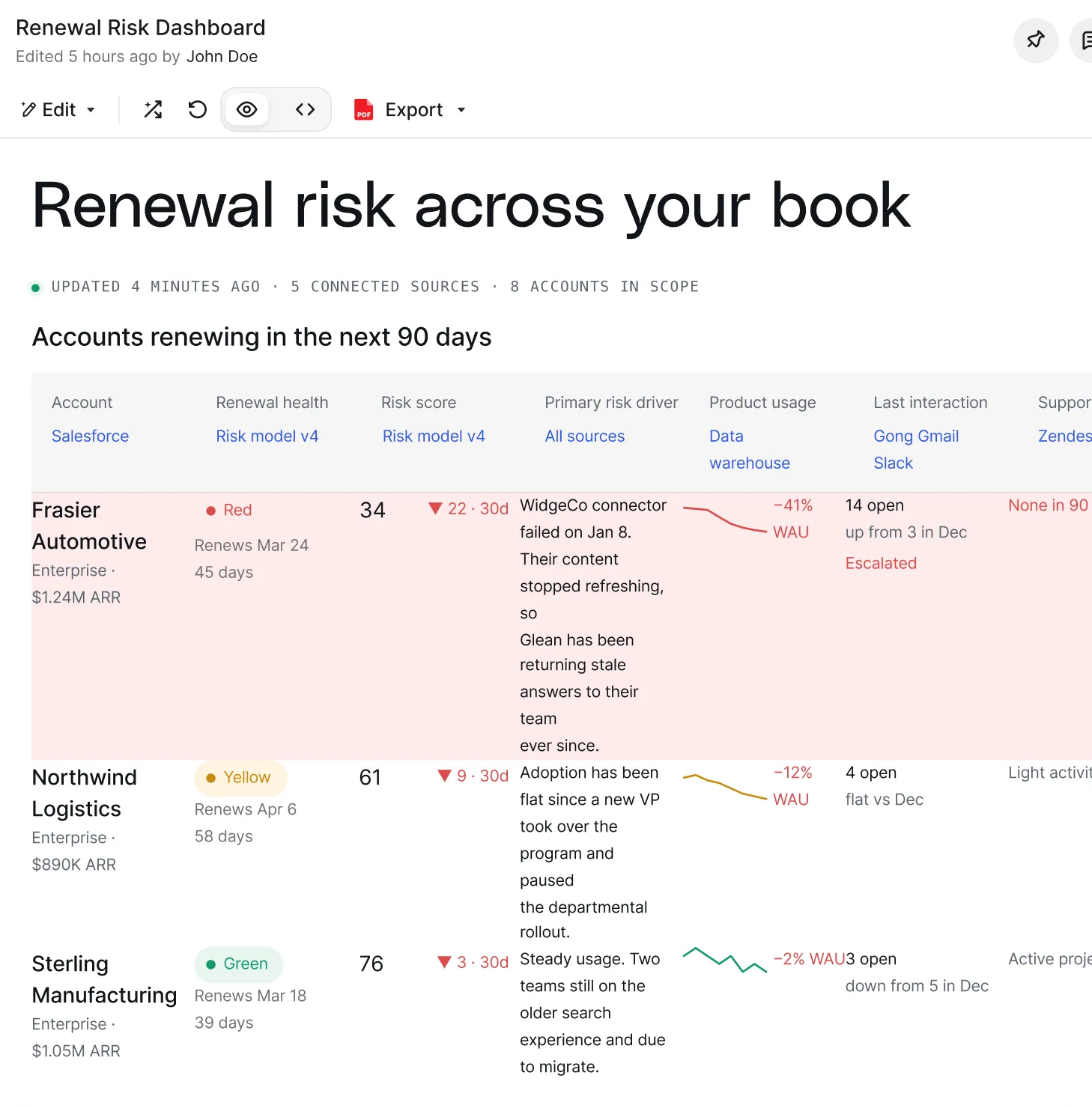
ダッシュボード、フォーム、レポートなどを簡単に作成できます。信頼できる社内ナレッジを活用して内容を洗練させ、オンデマンドまたはスケジュール設定(ベータ版)で最新の状態に保つことが可能です。

ワンクリックでドラフトを確認・エクスポート。
バージョン履歴から最適なドラフトを見つけ出し、Google ドキュメント、スライド、Microsoft Word、PowerPoint にエクスポートしたり、メールや Slack でチームと共有したりできます。

作成したすべてのコンテンツをすぐに手の届く場所に。
ライブラリにはすべての成果物が一元管理されるため、過去の作業を簡単に見つけ出し、中断したところから再開したり、チームメイトが共有した情報を発見したりすることができます。



Gleanによるコンテンツ作成の仕組み
01
アイデア出し
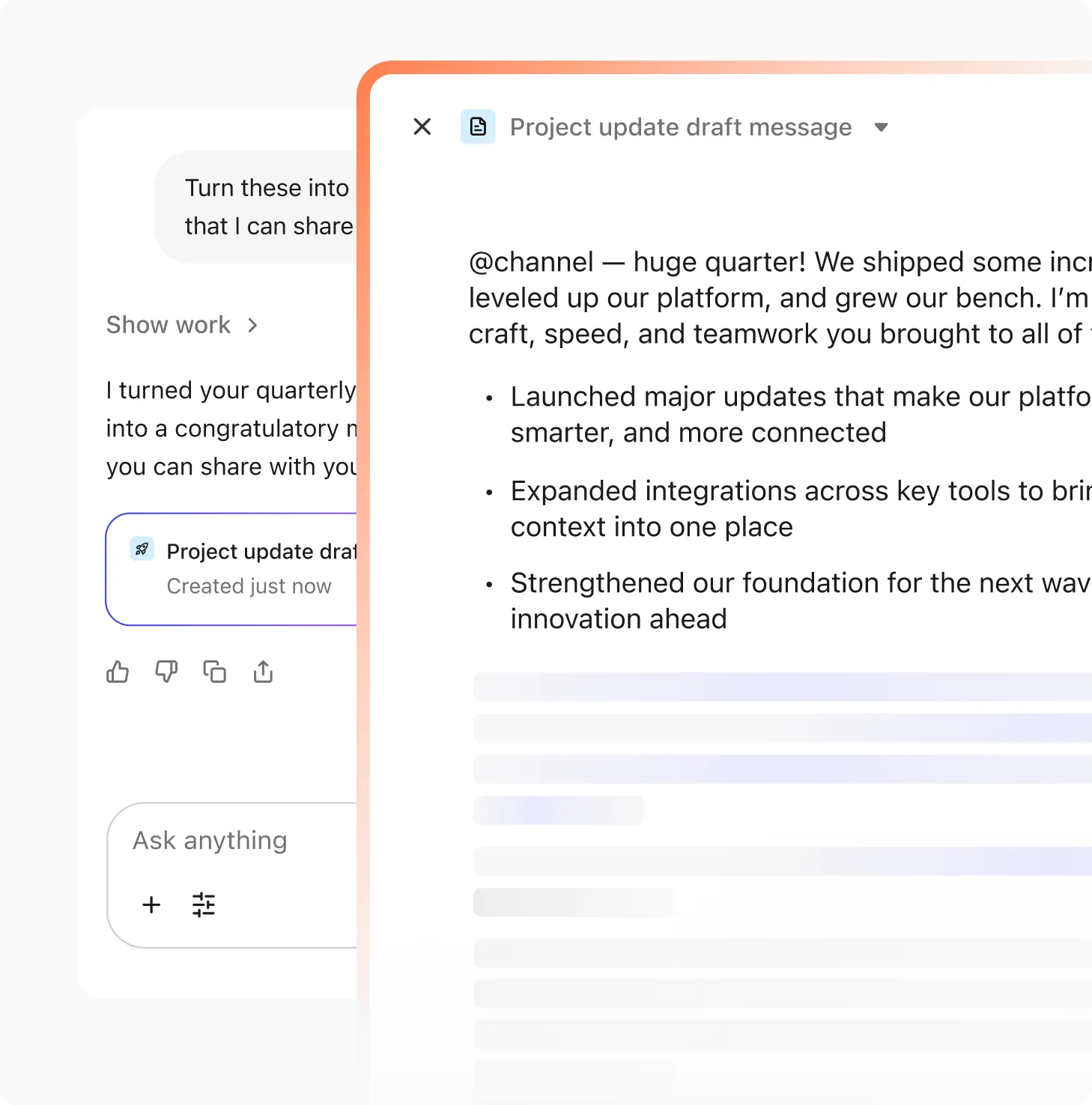
Assistantへのプロンプトやライブラリのテンプレートから開始します。Canvasが開き、一箇所で構築作業を行えます。
02
作成
社内のナレッジに基づいたドキュメント、プレゼンテーション、ダッシュボード、スプレッドシートを作成します。
03
編集
任意のセクションをハイライトしてトーンやスタイル、明瞭さを調整すると、AssistantがCanvas上で直接書き換えます。

04
反復
バージョンを比較して、以前の編集内容を復元できます。すべての変更は追跡可能で、簡単に調整できます。

05
共有
作成したコンテンツをチームで共有し、ワンクリックでGoogleドキュメント、Word、PowerPoint、メール、またはSlackにエクスポートできます。